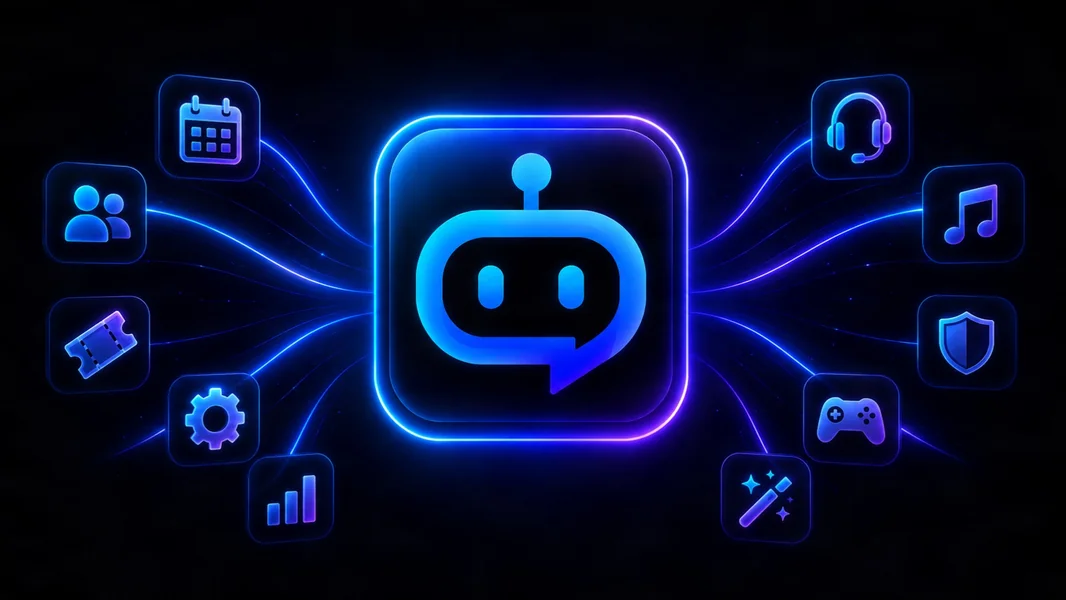
Most Discord servers do not need ten separate bots to handle ten separate jobs. One modular bot can run moderation, tickets, events, LFG, analytics, temporary voice rooms, onboarding, announcements, giveaways, and social feeds—then add specialist plugins without introducing another bot account every time the community needs something new.
The benefit is not merely a shorter member list. It is a smaller operational surface: fewer integrations to audit, fewer dashboards to learn, fewer overlapping automations, and one clear place to manage the server’s core workflows.
YourBot is built around that model. Every subscription covers one server and includes ten built-in services, a custom bot identity, and marketplace access. Independently developed marketplace plugins can extend the same bot under their own per-server pricing.
Editorial disclosure: This guide is published by YourBot.gg. It explains why a plugin-based bot can replace a crowded Discord bot stack while acknowledging when a specialist bot should remain.
What Does “One Bot With Plugins” Mean?
A plugin-based Discord bot separates the platform from the features running on it.
The platform maintains the Discord connection, hosting, storage, dashboards, updates, and shared infrastructure. Individual services and plugins supply focused behavior: moderation, tickets, events, game lookups, server monitoring, community utilities, and other workflows.
Members still use ordinary slash commands, buttons, forms, messages, and channels. Installing another plugin extends the bot already present. Installing another standalone bot creates a separate Discord integration with its own identity, permissions, data practices, configuration, and operating model.
The Hidden Cost of a 10-Bot Stack
Each individual bot may have been a reasonable choice. The cost appears when staff must operate all of them together.
| Operational area | Ten separate bots | One plugin platform |
|---|---|---|
| Integrations | Multiple apps, roles, and webhooks | One primary platform integration |
| Configuration | Separate dashboards and commands | One dashboard with per-feature settings |
| Permissions | Repeated role and channel reviews | One coordinated permission plan |
| Automation ownership | Duplicate actions are easy to create | One visible owner for each workflow |
| Staff training | Several products to learn | One operating model |
| Billing | Multiple renewals and portals | One platform subscription plus selected plugin licenses |
| Privacy review | Separate vendor terms and data policies | One platform review plus plugin disclosures |
| Member experience | Several bot names and help systems | One recognizable identity |
Discord’s Server Integrations page shows installed bots, apps, and webhooks, when they were added, who added them, and the permissions each requested. Discord currently allows up to 50 integrations per server.
Most communities will not reach that limit. The management problem arrives earlier: nobody remembers which bot controls an autorole, two bots respond to the same event, or an old webhook continues posting after the staff member who configured it has left.
Discord also exposes a Data Access tab. Every additional bot introduces another developer and another data-handling decision for administrators and members to review.
One Bot Does Not Have to Mean One Monolith
Traditional all-in-one bots and plugin platforms can both put several features behind one identity. The difference is how the feature set grows.
A traditional all-in-one bot generally offers modules created by one vendor. If the server needs something outside that catalog, the usual choices are a workaround, a feature request, or another bot.
A plugin platform combines first-party services with independently installable extensions.
YourBot starts with ten built-in services:
- Beacon Events
- Group Finder
- Sentinel moderation
- Analytics
- Tickets
- Join-to-create voice channels
- Welcome
- Announcements
- Giveaways
- Social Feeds
Each service can be toggled and configured per server. The YourBot Marketplace adds community-developed plugins for narrower games, tools, and workflows.
This means two communities can use the same platform without carrying the same configuration. A gaming guild can prioritize LFG, events, voice, and moderation; a creator community can emphasize feeds, giveaways, analytics, welcome flows, and tickets.
Why Plugins Beat Adding Another Bot
One identity is easier for members
A crowded server can develop several competing help commands, panels, and notification styles. A plugin platform keeps the services under one bot name and avatar.
A YourBot subscription includes a custom bot identity, so the platform can run under the server’s own name and branding.
One dashboard reduces setup debt
Setup debt is the configuration that accumulates after installation: old rules, forgotten log channels, undocumented role menus, and settings understood by only one moderator.
Centralized configuration makes it easier to see which services are active, which channels and roles they use, and which marketplace plugins are installed.
The feature set can change without changing the bot stack
Communities evolve. A server may later need a game monitor, application workflow, tournament utility, or clan economy.
With standalone bots, each requirement can create another search and authorization process. With plugins, the administrator reviews and installs the feature through the existing platform. Removing it later does not disturb moderation, tickets, or analytics.
Automation conflicts become easier to prevent
Common bot conflicts include:
- Two bots assigning the same role
- Two AutoMod systems punishing one message
- Duplicate welcome or stream alerts
- Competing ticket panels
- Separate warning systems
- Multiple reminders for the same event
A plugin platform makes ownership easier to see. Administrators should still avoid overlapping plugins, but the configuration exists within one environment instead of several unrelated products.
Updates and consent can follow one model
YourBot marketplace installations default to managed updates, and administrators can pin a published version when stability matters.
Plugins declare the capabilities and external domains they need. If an update requests additional access, the administrator must approve it before the new version can proceed.
Niche features become practical
A developer with one useful idea does not need to operate a complete bot company.
The YourBot SDK supplies Discord connectivity, hosting, per-server storage, dashboards, installation, and payment infrastructure. The AI Plugin Builder can draft a plugin from a written specification for the creator to inspect, validate, test, and refine.
Costs are easier to attribute
A plugin model does not guarantee the lowest possible total price. YourBot uses one platform subscription per server, and marketplace plugins may have separate developer-set prices.
The advantage is clarity: optional costs correspond to identifiable installed features instead of another complete bot integration.
What Can One YourBot Server Replace?
| Separate bot job | YourBot service |
|---|---|
| AutoMod, cases, appeals, and raid response | Sentinel |
| Private support, applications, and reports | Tickets |
| Scheduled raids, meetings, and game nights | Beacon Events |
| Pickup groups and gaming LFG | Group Finder |
| Temporary voice rooms | Join-to-Create Voice |
| Message, voice, retention, and channel reporting | Analytics |
| Welcome cards, verification, onboarding, and roles | Welcome |
| Scheduled and recurring posts | Announcements |
| Community prize draws | Giveaways |
| Twitch, YouTube, RSS, Steam, and game updates | Social Feeds |
The marketplace covers specialized workflows. The goal is not to force every feature into the built-in suite; it is to provide a stable operational foundation and let plugins fill the narrower gaps.
Are Marketplace Plugins Safe?
Third-party software always requires review. A controlled marketplace can, however, place technical limits around what a plugin is allowed to do.
YourBot’s quality and sandbox standards state that marketplace plugins run in isolated containers with:
- No direct internet access
- Proxy-controlled requests to approved domains
- A read-only runtime filesystem
- CPU and memory limits
- Per-plugin storage boundaries
- Per-server data isolation
- Stored plugin data deleted seven days after uninstall
Plugins declare the capabilities they need, and the platform blocks calls outside the approved set.
Some listings also carry a Quality designation. That means staff manually tested the plugin, the listing accurately represents it, the developer released an update within the previous 90 days, and the developer responds to reports.
These controls reduce risk; they do not guarantee that every plugin is useful or bugless. Review the developer, capabilities, outside domains, privacy terms, pricing, and update history before installation.
The Trade-Off: One Platform Becomes More Important
Consolidation creates concentration.
If the primary platform has an outage, several workflows may be affected together. One platform bot may also need a broader combined permission set than a single-purpose specialist.
Reduce that risk by keeping Discord’s native safety tools configured, granting only the permissions required by enabled services, maintaining manual procedures for critical work, and disabling anything the server does not use.
Discord permissions can apply at server, category, channel, role, and member levels, and channel settings can override server permissions. Review Discord’s permissions guide rather than granting Administrator simply to simplify setup.
YourBot also remains in beta, so test important permissions, moderation actions, and third-party plugins before making them central to a large live community.
When a Separate Specialist Bot Still Belongs
One bot with plugins should replace redundancy, not genuine specialist depth.
Keep a separate bot when it offers a critical feature unavailable on the platform, preserves important historical data, provides substantially deeper functionality, or satisfies a required business integration.
The best target is usually not “exactly one bot.” It is one primary platform plus only the specialists that can clearly justify another integration.
How to Move From Many Bots to Plugins
Do not remove everything at once.
- Open Server Settings → Integrations and inventory every bot, app, and webhook.
- Record the features the server actually uses from each.
- Map those functions to built-in services or marketplace plugins.
- Preserve cases, transcripts, events, analytics, and configuration records.
- Test one replacement workflow at a time.
- Keep only one system actively performing each action.
- Remove the old bot after the replacement succeeds for normal members and staff.
The full Discord bot consolidation guide covers staged migration and rollback in greater detail.
Frequently Asked Questions
Can One Discord Bot Really Replace Ten Bots?
It can replace many common general-purpose bots when it covers the functions the server uses. YourBot’s built-in suite handles moderation, tickets, events, LFG, voice rooms, analytics, onboarding, announcements, giveaways, and feeds.
Keep a specialist when it still provides meaningful, non-overlapping depth.
Is One Bot With Plugins the Same as an All-in-One Bot?
Not exactly. Both can place several features behind one identity. A traditional all-in-one bot depends primarily on one vendor’s catalog. A plugin platform can add independently developed extensions without authorizing another bot.
Does a Plugin-Based Bot Need Administrator Permission?
Not automatically. Required permissions depend on the enabled services and plugins. Review the bot role, category and channel overrides, plugin capabilities, and Discord Data Access information. Grant only what active workflows require.
Is One Bot Safer Than Ten?
It can reduce the number of third parties, roles, dashboards, and permission grants under review. It also concentrates responsibility in one provider.
Safety depends on platform architecture, configuration, testing, privacy practices, and fallback procedures—not the number of bot accounts alone.
How Is YourBot Priced?
One YourBot subscription covers one server and includes all ten built-in services, a custom bot identity, and marketplace access. Marketplace plugins are licensed per server and may use prices set by their developers. Review the current pricing page and each plugin listing before purchase.
Final Verdict
Why use ten Discord bots when one bot can use plugins?
Most communities are not benefiting from ten separate products. They are carrying ten sets of permissions, dashboards, automations, data practices, renewals, and staff knowledge to obtain a smaller number of features.
A plugin-based platform keeps the bot identity stable while allowing the feature set to change. YourBot supplies the operational foundation through ten built-in services, then uses the marketplace and AI Plugin Builder to cover specialized requirements.
One platform should not replace a specialist merely to lower the bot count. It should replace duplicated infrastructure and make every remaining integration justify its place.
Start with the built-in services, browse the plugin marketplace, and build the smallest Discord bot stack that fully supports your community.