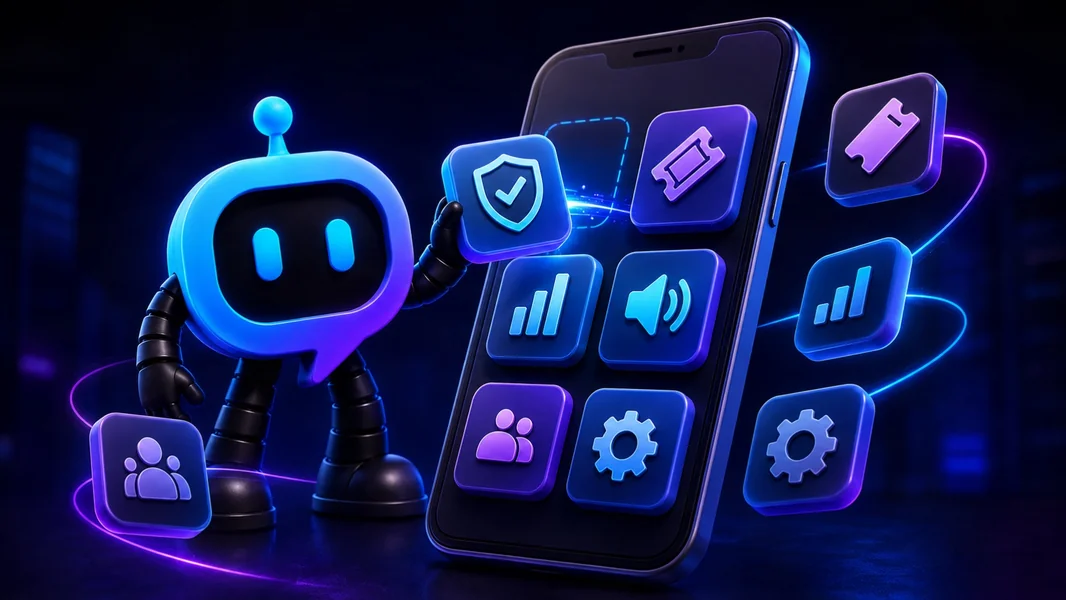
That is the model YourBot is building: one stable Discord bot platform with built-in tools, an app-store-style plugin marketplace, permission controls, managed updates, AI-assisted setup, and a developer kit for creating new features.
Instead of inviting a new bot whenever your community needs moderation, tickets, LFG, analytics, a game integration, or a custom workflow, you keep one bot identity and change the features installed behind it.
The comparison is not literal, but it explains the model: one operating environment, built-in tools, specialist apps, permission controls, and a developer path for anything missing from the catalog.
Editorial disclosure: This guide is published by YourBot.gg. It explains the platform through a smartphone analogy while clearly covering where that analogy ends and what server owners remain responsible for.
The Smartphone Analogy at a Glance
| Smartphone concept | YourBot equivalent | What it means for a Discord server |
|---|---|---|
| Phone and operating system | YourBot platform and hosted runtime | One managed foundation runs the bot and its features |
| Preinstalled apps | Ten built-in services | Common community operations do not need separate bots |
| App store | YourBot Marketplace | Install specialist features through the bot already present |
| App permissions | Plugin capabilities, proxy domains, and privacy settings | Administrators approve what each plugin can access and do |
| App sandbox | Isolated plugin containers | Third-party code runs within technical boundaries |
| Automatic app updates | Managed plugin updates | Published versions can reach installed servers automatically |
| Pinning an older app version | Version pinning | A server can remain on a known published version |
| Setup assistant | Start Your Server | AI helps design channels, roles, permissions, content, and services |
| No-code app creator | AI Plugin Builder | Describe a feature and receive inspectable plugin source |
| Developer kit | YourBot SDK | Developers build plugins directly with sandboxed Python |
| Personalized device | Custom bot identity | The platform can run under the community’s bot name and avatar |
The important idea is modularity. The bot stays recognizable while the feature set changes.
Traditional Discord Bots Work More Like Separate Devices
Most Discord apps are installed as complete products.
A server might add one bot for moderation, another for tickets, another for temporary voice rooms, another for events, and another for statistics. Each can have its own application identity, role, permissions, dashboard, support team, subscription, privacy policy, and release process.
Discord’s Server Integrations page lists installed apps and webhooks, but it does not combine their configuration.
Specialists can provide valuable depth. The inefficiency appears when a community repeatedly installs complete applications for narrow features—like carrying separate devices for the camera, calendar, and calculator.
The “Preinstalled Apps”: Ten Built-In Services
Every YourBot subscription covers one server and includes all ten built-in services, a custom bot identity, and marketplace access. Marketplace plugins can have separate per-server pricing set by their developers.
The built-in suite provides the features many communities need before they install anything else:
| Community need | Built-in YourBot service |
|---|---|
| AutoMod, cases, appeals, reports, and raid response | Sentinel |
| Support panels, forms, teams, SLAs, transcripts, and CSAT | Tickets |
| Message, voice, growth, retention, alerts, and exports | Analytics |
| Role-based signups, waitlists, reminders, polls, and event voice | Beacon Events |
| Structured LFG, role slots, activity templates, and alerts | Group Finder |
| Dynamic voice rooms with automatic cleanup | Join-to-Create Voice |
| Cards, DMs, autoroles, verification, quests, and role menus | Welcome |
| One-time and recurring scheduled messages | Announcements |
| Weighted entries, prize tiers, and rerolls | Giveaways |
| Twitch, YouTube, RSS, Patreon, Steam, and game updates | Social Feeds |
Each service can be enabled and configured separately. “All in one” does not have to mean every feature is permanently active.
Owners can use proven systems for standard work and reserve custom development for what makes the community different.
The Marketplace: An App Store for the Bot Already in Your Server
The YourBot Marketplace is the closest part of the smartphone analogy to an app store.
A server administrator can browse specialist plugins, open a listing, review the feature, examine the developer and requested access, then install it through the existing YourBot platform.
A marketplace listing can include:
- A product description
- Commands and screenshots
- Administrator dashboard information
- Version history and changelogs
- Ratings and support details
- Pricing
- Required capabilities
- External domains the plugin may contact
Installing a marketplace plugin does not add another standalone bot identity to the server. Members continue interacting with the server’s YourBot or custom bot identity.
That makes niche tools practical without requiring every developer to create an independent bot platform.
Permissions Work Like App Permissions
A smartphone app should not receive access to the camera, contacts, and location merely because it was installed. A Discord plugin should not receive moderation, message-content, role, or external-network access without a clear reason.
YourBot plugins declare what they need.
Administrators can review:
- Capabilities: Actions such as sending messages, reading message content, managing roles, or moderating members
- Proxy domains: Outside services the plugin wants to contact
- Privacy mode: Whether the plugin receives message content or only metadata where supported
YourBot presents capability risk tiers during installation. If a plugin calls an API it did not request—or the administrator did not approve—the runtime blocks the action.
This makes access easier to evaluate at the feature level.
Discord’s own Data Access tab remains relevant because the platform bot is still a third-party Discord application. Server owners should review both Discord-level access and plugin-level permissions.
Sandboxing Works Like App Isolation
Marketplace plugins do not run as unrestricted code on the server owner’s machine.
According to YourBot’s marketplace quality standards, every plugin runs in its own locked-down container with:
- No direct internet access
- Proxy-controlled requests to administrator-approved domains
- A read-only runtime filesystem
- Fixed CPU and memory limits
- Per-plugin storage boundaries
- Per-server data isolation
- Stored plugin data deleted seven days after uninstall
Every version passes automated validation. A new developer’s first publication receives human review, while the separate Quality designation adds manual installation and testing, representative listing content, recent maintenance, and responsive developer support.
These controls reduce technical risk, but administrators must still review the developer, access, pricing, data practices, and support.
App Updates Without Silent Permission Expansion
Marketplace installs default to managed updates.
When a developer publishes a new version, servers can receive it automatically. Administrators can also pin a published version, which disables automatic updates for that installation.
There is an important consent boundary: if an update requests a new capability or external domain, the update pauses until the server administrator approves the additional access.
That resembles an app requesting a new permission after an update. Developers can also stage a release to part of the install base before wider deployment.
Start Your Server Is the Setup Assistant
A smartphone setup assistant does more than install apps. It helps configure the environment around them.
Start Your Server plays that role for Discord.
Describe the community:
Create a Discord server for a game-development community. We need a
welcome and rules area, player roles, private staff channels, bug-report
tickets, playtest events, temporary voice rooms, moderation protection,
and activity analytics.
The builder can draft:
- Categories and channels
- Roles and role hierarchy
- Permission overwrites
- Topics and starter content
- Welcome and rules messages
- Suitable YourBot services
- Initial service settings
The proposal appears before anything changes. See it as previews member or staff access, while the safety check flags onboarding or permission problems.
Builds are add-only by default. Deletions require confirmation. YourBot creates a snapshot first, logs operations, supports undo, and safely reruns only missing work.
It can also configure services alongside the structure—for example, posting a Tickets panel, binding Group Finder to LFG, creating a temporary-voice lobby, enabling Sentinel, and configuring Welcome.
Start Your Server builds the target environment; it does not automatically import another provider’s XP, transcripts, cases, or analytics history.
The Plugin Builder Lets You Describe a New App
What happens when the marketplace does not have the feature?
The AI Plugin Builder lets a creator describe the missing workflow:
Create a volunteer-coordination plugin. Coordinators create shifts with
a date, capacity, and required role. Members join through a button.

Let administrators choose the coordinator role and schedule channel.
Prevent duplicate signups, store data per server, notify members before
their shift, and log failed DMs or missing permissions.
The builder can first draft the commands and storage plan. Creators choose a budget, and prepaid credits are charged according to token use.
During generation, the source, manifest, files, summary, and commands remain visible. Every draft passes through validation for structure, forbidden imports, missing capabilities, command consistency, and parse errors.
Creators can request fixes, download the files, or continue development manually.
A committed version can be dev-installed on a managed server. Current test installs expire after 24 hours, support up to three active installations, and provide live logs and events.
The result can be inspected and tested before anyone relies on it.
The SDK Is the Developer Kit
The YourBot SDK is the equivalent of a software development kit for the platform.
As of July 2026, the documented SDK uses sandboxed Python:
pip install yourbot-sdk
yourbot new my_plugin
yourbot dev
yourbot validate
The SDK supports Discord events, slash commands, buttons, menus, modal forms, scheduled work, voice-state changes, storage, Discord actions, controlled external APIs, metrics, and dashboards.
YourBot handles Gateway connectivity, command synchronization, hosting, per-server storage, encrypted secrets, controlled outside access, installation, updates, marketplace distribution, and billing infrastructure.
An owner can begin without code and later hand the same plugin to a developer without replacing the platform.
Where the Smartphone Analogy Ends
YourBot is not literally a mobile operating system.
Important differences include:
- Plugins run server-side on managed infrastructure, not on members’ devices.
- The marketplace is a YourBot platform marketplace, not Discord’s official App Directory.
- One subscription covers one Discord server.
- Marketplace plugins may have separate developer-set prices.
- YourBot remains in beta, so critical workflows require testing.
- A platform outage can affect several installed features at once.
- Plugins operate within the YourBot SDK, sandbox, capability system, and resource limits.
- An unrestricted standalone bot remains better when a project requires its own runtime architecture, native binaries, or direct system access.
The analogy explains modularity and permissions without removing the platform’s real boundaries.
Frequently Asked Questions
Can a Discord Bot Really Install Apps?
A platform bot can install server-side plugins that add commands, events, dashboards, storage, and workflows. The plugins run through the existing bot identity rather than appearing as separate bots.
Is the YourBot Marketplace the Same as Discord’s App Directory?
No. Discord’s App Directory contains complete Discord applications. The YourBot Marketplace contains plugins that extend the YourBot platform.
Do Members Need to Install Anything?
No. A server administrator installs the plugin once. Members use its commands, buttons, forms, messages, channels, or dashboards through Discord.
Can Plugins Update Automatically?
Yes. Marketplace installations default to automatic updates. Administrators can pin a published version, and new capabilities or external domains require renewed approval.
Can I Build My Own Plugin?
Yes. Use the AI Plugin Builder for a plain-language starting point or build directly with the Python SDK.
Does Installing a Plugin Add Another Bot Role?
No. The plugin runs through the existing YourBot or custom bot identity.
Final Verdict
What if your Discord bot worked like a smartphone with installable apps? You would stop replacing the bot every time the community needed a new feature.
YourBot keeps the identity and operating platform stable while the installed capabilities evolve.
The built-in services act like the essential apps. The marketplace adds specialist tools. Capabilities and proxy domains provide permission controls. Sandboxing limits third-party code. Managed updates keep plugins current. Start Your Server configures the surrounding environment, the Plugin Builder creates what is missing, and the SDK gives developers a direct path forward.
That is the product model behind YourBot: one Discord bot that becomes more useful as the community changes instead of one more disconnected bot added to the pile.