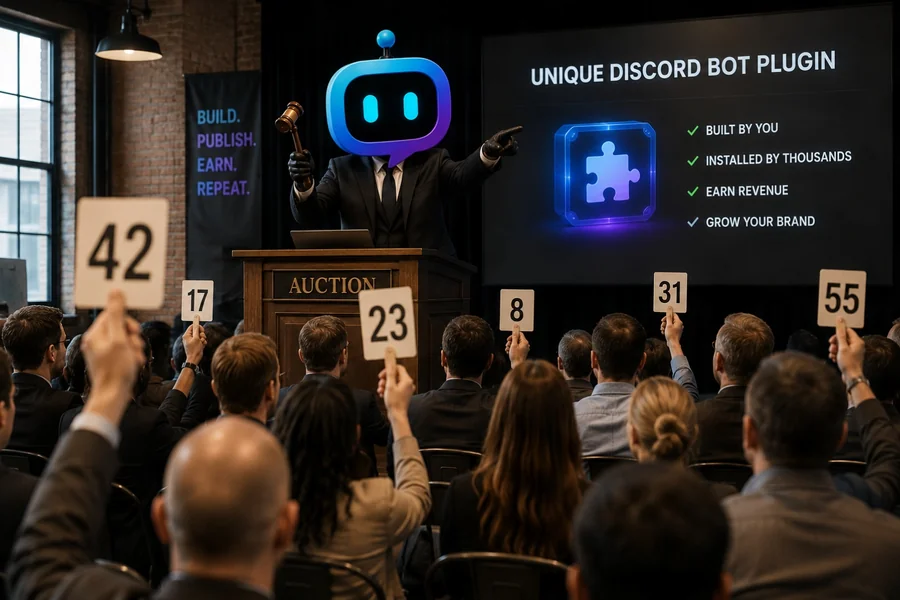
Yes. Developers can build, publish, and sell Discord bot plugins through the YourBot Marketplace. A plugin can use monthly, yearly, or one-time pricing, optional per-seat quantities, subscription trials, limited-time sales, bundles, and server gifting. YourBot handles the storefront, checkout, invoices, entitlements, refunds, and Stripe Connect payouts while the developer owns and maintains the plugin.
That changes the economics of Discord development. Instead of launching an entire standalone bot—with its own Gateway infrastructure, hosting, database, installation flow, dashboard, billing system, and customer entitlement logic—you can sell one focused feature that runs through the YourBot platform.
Editorial disclosure: This guide is published by YourBot.gg. It explains the marketplace’s current developer model, revenue share, review process, technical boundaries, and commercial responsibilities.
How Selling a Discord Plugin Works
A YourBot plugin is a small Python program that reacts to Discord events or commands through the YourBot SDK.
Examples include game-server monitors, clan trackers, staff applications, searchable records, campaign managers, tournament tools, market lookups, economies, and approved external integrations.
The plugin runs through a server’s existing YourBot or custom bot identity. Buyers install it from the marketplace, approve its requested capabilities and external domains, configure it for their server, and receive eligible updates through the platform.
The developer supplies the product, listing, support, and maintenance. YourBot supplies much of the commercial and operational infrastructure.
Why Sell a Plugin Instead of a Complete Bot?
| Responsibility | Standalone Discord bot | YourBot marketplace plugin |
|---|---|---|
| Discord Gateway and event delivery | Developer builds and operates it | YourBot handles it |
| Hosting and process recovery | Developer manages infrastructure | Managed by YourBot |
| Per-server storage | Developer designs and hosts it | Platform KV and reviewed SQL APIs |
| Secret management | Developer builds it | Encrypted platform secrets |
| Admin dashboard | Developer builds a web app | Manifest or custom plugin dashboards |
| Installation | Developer builds OAuth and setup | Marketplace installation |
| Checkout and entitlements | Developer builds billing logic | YourBot handles it |
| Refunds and disputes | Developer operates the process | YourBot manages the marketplace flow |
| Distribution | Developer finds every customer | Marketplace listing and discovery |
| Revenue | Developer retains gross revenue minus all costs | Developer keeps 70%–85% under the current schedule |
| Architecture | Unrestricted | Runs within the YourBot SDK and sandbox |
A standalone bot remains appropriate when the product requires unrestricted networking, native binaries, an independent runtime, or distribution outside the YourBot ecosystem.
A marketplace plugin is often the faster route when the value is one focused Discord feature.
Developers Keep Ownership of Their Plugins
The current Marketplace Developer Agreement states that developers retain ownership and intellectual-property rights in their plugin code and listing content.
The developer grants YourBot a non-exclusive license to host, execute, distribute, display, and promote the plugin while listed and during any required wind-down.
End users license the plugin from the developer. YourBot acts as distributor, runtime host, and merchant of record, preserving developer ownership while operating the marketplace.
Who Can Sell Plugins?
Before creating a public listing or offering paid plans, the developer must accept the Marketplace Developer Agreement.
Developers must be at least 18 or the age of majority, have authority when acting for a company, comply with platform and Discord rules, complete Stripe Connect onboarding, and provide accurate identity, payout, and tax information.
Developers operate as independent contractors and remain responsible for their own taxes, insurance, business expenses, and legal obligations.
This article is not tax or legal advice. Developers earning meaningful revenue should obtain guidance appropriate to their jurisdiction.
Build With the AI Plugin Builder or the SDK
Start with the AI Plugin Builder
The AI Plugin Builder turns a plain-language specification into an inspectable YourBot SDK plugin.
Create a tournament roster plugin. Team captains submit the game, region,
rank, player list, substitute list, and availability.

Let administrators choose the captain role and review channel. Prevent
duplicate active rosters, keep contact details private, store status per
server, and add a dashboard for approvals and roster changes.
The builder can draft commands and storage before generation. Creators choose a budget, prepaid credits are charged according to token use, and the source remains visible. Validation checks structure, imports, capabilities, commands, and parse errors.
Creators can request fixes, download the files, or continue manually.
Build directly with the Python SDK
Developers can also use the YourBot SDK directly:
pip install yourbot-sdk
yourbot new tournament_roster
yourbot dev
yourbot validate
The SDK supports events, commands, components, schedules, voice updates, storage, Discord actions, controlled APIs, metrics, and dashboards. An AI-generated draft can later receive direct developer refinement without changing platforms.
Test Before You Publish
A committed plugin version can be dev-installed on a server the creator manages.
Current test installations:
- Expire after 24 hours
- Allow up to three active test installs
- Auto-approve the plugin’s capabilities on the creator’s managed test servers
- Stream live logs and events into the developer portal
Test successful behavior, missing permissions, deleted Discord resources, duplicates, invalid input, failed DMs, API errors, storage limits, repeated interactions, restricted actions, and reinstall behavior.
A marketplace customer is paying for a dependable product, not merely code that passed a syntax check.
Create the Marketplace Listing and Plans
After testing, create a marketplace listing with an accurate description, representative screenshots, commands, support contact, privacy disclosure where required, and a clear explanation of the outcome the plugin provides.
The current platform supports up to five plans per plugin.
Paid plans can use:
- Monthly billing
- Yearly billing
- One-time purchases
- Optional per-seat quantities
- Subscription trials of up to 14 days
- Limited-time sales
- Bundles with other plugins
- Purchases gifted to another server
At publication, the Developer Agreement lists a $3 minimum for each paid plan and prices marketplace sales in U.S. dollars. Platform limits can change, so confirm the current Dev Portal values before launch.
Price the outcome, not the command count
A plugin with two commands can be more valuable than one with twenty if it solves a costly recurring problem.
Price according to time saved, subscriptions replaced, external API costs, support workload, and whether value continues after installation.
Recurring pricing fits ongoing data, updates, or support. A one-time purchase can fit a stable utility with limited continuing cost.
How Much Revenue Does the Developer Keep?
YourBot currently uses a volume-based creator share:
| Trailing 30-day marketplace volume | Developer share |
|---|---|
| Default tier | 70% |
| From $1,000 | 75% |
| From $5,000 | 80% |
| From $10,000 | 85% |
The tier is evaluated from trailing 30-day sales net of refunds and can move up or down over time.
Stripe’s payment-processing fees currently come from the platform’s share rather than the developer’s share. Developers remain responsible for income taxes, business expenses, external APIs, support time, and any reversals or dispute costs assigned under the agreement.
Simple earnings example
A plugin priced at $5 per month with 100 paying server installations produces:
100 servers × $5 = $500 charged
$500 × 70% creator share = $350 creator revenue
That is before taxes, refunds, outside-service costs, and support. It is an illustration, not a forecast; distribution, retention, quality, demand, and maintenance determine actual earnings.
Checkout, Payouts, Refunds, and Chargebacks
YourBot acts as merchant of record for marketplace sales and operates the customer checkout.
Before checkout activates, accept the Developer Agreement, connect Stripe Express, complete identity and tax verification, and keep charges and payouts enabled.
Each sale’s funds are currently subject to a rolling hold of approximately 30 days. After that hold, Stripe pays the connected bank account according to its payout schedule.
Refunds reverse the developer’s share of the refunded sale. Buyers can escalate refund requests, and developers currently have seven days to respond before YourBot staff may decide the request.
Chargebacks can pause access and reverse the relevant sale while the dispute is reviewed. A negative Stripe balance may need to be repaid or offset against later earnings.
Publication and Review
Upload the plugin ZIP through the Dev Portal or connect a supported GitHub repository. Running yourbot validate first applies the same core checks locally.
Review covers the manifest, capabilities and domains, command validity, unsafe code patterns, SQL safety, disclosures, and justification for higher-risk access.
Every submission from a new developer receives human review. The current documentation says typical review turnaround is one to three business days, although that is a target rather than a guarantee.
After publication, installs use automatic updates by default. Server owners can pin a published version, and an update that adds a capability or external domain pauses until the administrator approves the expanded access.
Developers can also stage a rollout to part of the install base before promoting the version more widely.
Sandboxing Helps Customers Trust Marketplace Plugins
Marketplace plugins run in isolated containers with:
- No direct internet access
- Proxy-controlled requests to administrator-approved domains
- A read-only runtime filesystem
- CPU and memory limits
- Per-plugin storage boundaries
- Per-server data isolation
Calls outside the plugin’s approved capability set are blocked at runtime.
The separate Quality designation means YourBot staff manually tested the plugin, the listing accurately represents it, the developer shipped an update within the previous 90 days, and the developer responds to reports.
Approval is not a guarantee of perfection. Developers still need strong testing, truthful documentation, responsive support, and responsible data handling.
Developer Responsibilities Do Not End at Publication
A paid plugin is an ongoing product.
Developers must maintain a support contact, respond to customers and refund requests, keep access and privacy disclosures accurate, use Discord data only for the declared function, publish required privacy notices, fix security issues, and support an orderly wind-down before removing a paid product.
The Developer Agreement says a plugin with active paid subscriptions cannot simply disappear. Existing subscribers must be supported through a wind-down process, or subscriptions may be canceled and refunded.
Discord’s Developer Policy also prohibits unrelated advertising, unsolicited contact, selling Discord API data, and using API data beyond the application’s stated functionality.
Plugin Marketplace vs. Selling a Standalone Bot
Choose the YourBot Marketplace when:
- You have one focused feature.
- You want managed Discord connectivity and hosting.
- You want built-in checkout and entitlements.
- You want marketplace distribution.
- The Python SDK and sandbox support the product.
- A 70%–85% creator share is acceptable.
Choose a standalone bot when:
- You need unrestricted infrastructure or networking.
- You need native binaries or a custom runtime.
- You want complete control over billing and customer accounts.
- The product must run outside YourBot.
- Your team can operate hosting, security, support, and compliance.
The marketplace reduces operational work. The trade-off is platform dependence, a revenue share, technical limits, and marketplace rules.
Frequently Asked Questions
Can Developers Sell Discord Bot Plugins?
Yes. YourBot developers can publish paid marketplace plugins using monthly, yearly, or one-time plans after accepting the Developer Agreement and completing Stripe Connect onboarding.
Do Developers Own Their Plugin Code?
Yes. The developer retains ownership and intellectual-property rights. The developer grants YourBot the license needed to host, execute, distribute, display, and promote the plugin.
How Much Does YourBot Pay Plugin Developers?
The current creator share ranges from 70% to 85%, depending on trailing 30-day marketplace volume net of refunds.
Can AI-Generated Plugins Be Sold?
Yes, after the developer reviews, tests, documents, and submits the plugin through the same publication process. AI generation does not remove the developer’s responsibility for the product.
Do I Need My Own VPS?
No separate VPS or deployment pipeline is required. YourBot hosts marketplace plugins in its sandboxed runtime.
Can I Sell a Plugin With a Dashboard?
Yes. Plugins can include manifest-based dashboard pages or custom iframe dashboards for settings, charts, tables, and other administration workflows.
Do I Need a Business Entity?
Not necessarily, but the developer must be at least 18 or the age of majority and must complete the required legal, identity, tax, and Stripe onboarding. A company representative must have authority to bind the company.
Final Verdict
Yes—developers can sell Discord bot plugins through the YourBot Marketplace without building an entire bot business around one feature.
Use the AI Plugin Builder for a plain-language starting point or build directly with the Python SDK. Test the plugin in Discord, create the listing and plans, complete Stripe onboarding, pass review, and publish.
YourBot handles the shared bot runtime, hosting, storage, marketplace installation, checkout, entitlements, refunds, and payouts. The developer owns the plugin, chooses the product and pricing, supports customers, and keeps 70%–85% of marketplace revenue under the current schedule.
Open the developer documentation, review the selling requirements, or describe your first plugin.