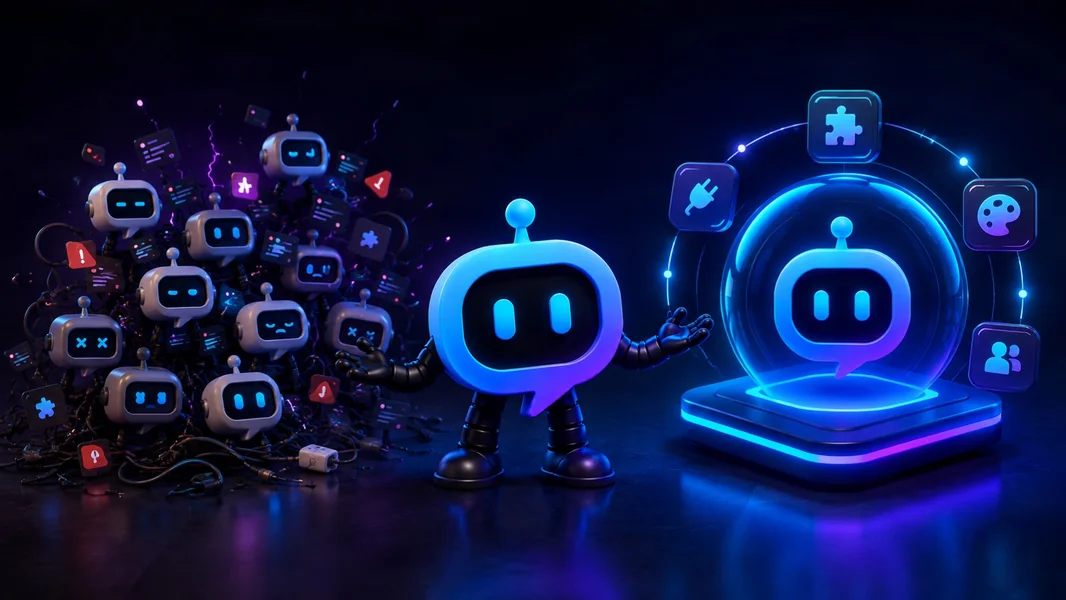
For most communities, one customizable Discord bot is the better operating model. It gives members one recognizable identity, gives staff one place to manage the server, and lets the feature set evolve without repeatedly adding another app, permission set, dashboard, and subscription.
Ten separate bots can still make sense when several specialists provide genuinely deeper functionality or preserve important historical data. The better target is not “one bot at any cost.” It is one primary customizable platform, plus only the specialists that clearly justify another integration.
YourBot is built around that approach: ten built-in services for common operations, a marketplace for specialist plugins, Start Your Server for easier setup and migration, an AI Plugin Builder for missing workflows, and a Python SDK for direct development.
Editorial disclosure: This guide is published by YourBot.gg. We recommend YourBot where a customizable plugin platform is the stronger fit while explaining the trade-offs honestly.
This Is Really a Choice Between Two Operating Models
| Question | One customizable bot | 10 separate bots |
|---|---|---|
| What members see | One name, avatar, and command identity | Several bot names, help systems, and message styles |
| Where staff configure features | One platform with dedicated feature pages | Several dashboards and support portals |
| How new features are added | Enable a built-in service, install a plugin, or build one | Invite another complete app |
| Permissions | One coordinated Discord permission plan plus plugin capability controls | Separate permission reviews for every app |
| Billing | One platform subscription plus selected plugin licenses | Several plans, renewals, and billing portals |
| Updates | Shared platform updates and managed plugin releases | Different release cycles and status pages |
| Main advantage | Simpler operations and flexible expansion | Specialist depth and separate failure domains |
| Main risk | Greater dependence on one platform | Bot sprawl, conflicting automation, and fragmented administration |
Discord’s Server Integrations page shows installed apps, webhooks, who added them, and their requested permissions. Discord currently allows up to 50 integrations, but most communities feel the management burden much earlier.
Why Servers End Up With 10 Bots
Bot sprawl usually happens one sensible decision at a time.
A server adds moderation after a spam incident. Tickets follow when private support becomes necessary. A gaming community adds events, LFG, temporary voice channels, and statistics. A creator server adds social alerts, welcome cards, giveaways, and role menus.
Each product may solve its job well. The difficulty appears when two bots manage the same role, punish the same message, post duplicate alerts, or leave staff unsure which panel and dashboard are official.
The problem is not the member-list count. It is the number of operational systems behind it.
What a Customizable Discord Bot Should Actually Provide
“One bot” is useful only when it is flexible enough to avoid becoming another fixed ceiling.
A genuinely customizable bot should support four layers:
- Custom identity: The community’s bot name and avatar
- Standard operations: Reliable moderation, tickets, events, analytics, onboarding, and other common tools
- Installable extensions: Specialist features that can be added independently
- Custom development: A way to create behavior that does not yet exist
A conventional all-in-one bot can handle the first two layers well. A plugin platform adds the third and fourth.
That is the difference between one monolithic bot and one adaptable bot platform.
Why One Customizable Bot Is Easier for Members
Members should not need a mental map of the bot stack.
One identity can welcome members, verify access, offer roles, open support, post reminders, create LFG listings, and run community-specific commands with consistent labels and message style.
A YourBot subscription includes a custom bot identity, so the platform can run under the server’s own name and avatar.
Why One Platform Is Easier for Staff
A centralized platform gives staff one place to see enabled services, configured channels and roles, installed plugins, approved capabilities, running versions, logs, and workflow ownership.
Documentation is still necessary, but it becomes simpler and less dependent on forgotten accounts or dashboards.
How YourBot Replaces the Common 10-Bot Stack
Every YourBot subscription covers one server and includes all ten built-in services, a custom bot identity, and marketplace access. Marketplace plugins may use separate per-server pricing set by their developers.
| Separate bot job | YourBot built-in service |
|---|---|
| AutoMod, cases, appeals, reports, and raid response | Sentinel |
| Private support, forms, staff teams, SLAs, transcripts, and CSAT | Tickets |
| Message, voice, retention, alerts, rewards, and exports | Analytics |
| Scheduled raids, meetings, polls, waitlists, and reminders | Beacon Events |
| Structured gaming groups and role-based LFG | Group Finder |
| Dynamic voice rooms that clean themselves up | Join-to-Create Voice |
| Welcome cards, DMs, verification, autoroles, and role menus | Welcome |
| Scheduled and recurring posts | Announcements |
| Community prize draws | Giveaways |
| Twitch, YouTube, RSS, Steam, Patreon, and game updates | Social Feeds |
Each service can be enabled or disabled per server.
The point is not to switch on all ten. It is to use one operational foundation and activate only what the community needs.
Start Your Server Makes Consolidation Easier
Choosing one customizable bot is only half the job. The server also needs the right channels, roles, permissions, and member journey.
Start Your Server lets administrators describe a new setup or a migration in ordinary language:
Reorganize this server around one primary bot. Keep the existing member
and staff roles. Create a clear welcome area, private support, events,
LFG, temporary voice rooms, moderation logs, and analytics.

Configure the matching YourBot services, but do not delete the current
bot setup until staff have tested the replacements.
The builder drafts channels, roles, permission overwrites, starter content, and suitable YourBot settings.
Administrators review the proposal before anything changes. See it as previews member or staff access, while the safety check flags problems. Builds are add-only by default, with snapshots, operation logs, undo, and safe reruns.
It can also post a Tickets panel, bind Group Finder to LFG, create a temporary-voice lobby, enable Sentinel, and configure Welcome alongside the server structure.
Start Your Server does not automatically import another provider’s XP, cases, transcripts, or analytics history. Preserve provider-specific records separately unless a supported importer is documented.
The Marketplace Adds Specialist Features Without Another Bot
The YourBot Marketplace is how the feature set expands beyond the built-in suite.
A server can install a game utility, monitoring tool, campaign manager, community game, business workflow, or other niche feature through the bot already present.
Administrators can review the developer, commands, screenshots, pricing, versions, capabilities, external domains, ratings, and support before installation.
The plugin runs through the existing bot identity, so the community adds a capability without adding another complete product stack.
The Plugin Builder Covers the Feature That Does Not Exist Yet
A marketplace will never contain every possible workflow.
The AI Plugin Builder can turn a plain-language specification into an inspectable YourBot SDK plugin:
Create a sponsor-application plugin. Applicants submit their company,
website, proposal, budget range, and private contact details.

Let administrators choose the reviewer role and review channel. Keep
private answers visible only to reviewers, prevent duplicate applications,
and add a dashboard for status, notes, and decisions.
The builder can draft commands and storage before generation. Creators choose a budget, prepaid credits are charged according to token use, and the source remains visible. Validation checks structure, imports, capabilities, commands, and parse errors.
Committed versions can be dev-installed for 24 hours, with up to three active tests and live logs.
The result is a plugin for the YourBot ecosystem rather than an unrestricted standalone bot. That managed format enables hosting, sandboxing, updates, dashboards, and one-click installation.
The SDK Gives Developers Direct Control
Developers can refine or build plugins directly through the YourBot SDK:
pip install yourbot-sdk
yourbot new my_plugin
yourbot dev
yourbot validate
The sandboxed Python SDK supports events, commands, components, schedules, voice updates, storage, Discord actions, controlled APIs, metrics, and dashboards.
YourBot handles Gateway connectivity, synchronization, hosting, storage, secrets, installation, updates, marketplace distribution, and billing. A community can begin without code and hand the same plugin to a developer later.
The Honest Case for Separate Bots
Ten separate bots are not always the wrong answer.
A specialist may deserve its own integration when it provides deeper functionality, irreplaceable historical data, a required business or game connection, independent high-stakes reliability, or unrestricted architecture.
Separate apps also divide failure domains: one specialist can fail while unrelated bots continue operating.
One customizable platform concentrates more responsibility in one provider. It may also need a broader combined set of Discord permissions than one narrow specialist.
That is why the best answer is usually one primary platform plus a small number of justified specialists, not ideological commitment to one or ten.
Which Model Fits Your Community?
- Small community: Use Discord’s native tools and one customizable platform; add specialists only after a real need appears.
- Gaming guild: Centralize moderation, events, LFG, voice, support, and analytics; keep a raid or game-data specialist only when its depth earns another integration.
- Support-heavy server: Centralize Discord operations, but use a traditional help desk when support extends beyond Discord.
- Business or membership server: Favor one branded bot with clear permissions and custom workflows.
- Developer-led product: Use YourBot when the SDK boundaries fit; build independently when unrestricted architecture is essential.
How to Move From 10 Bots to One Platform
Do not remove everything first.
- Open Server Settings → Integrations and inventory every app and webhook.
- Record the features, channels, roles, staff owner, data, and subscription attached to each.
- Map common workflows to built-in services.
- Preserve cases, transcripts, event records, analytics, and configuration.
- Use Start Your Server to stage the replacement beside the live setup.
- Install or build the specialist features that remain.
- Test one workflow at a time.
- Give every automated action one active owner.
- Transfer moderation last.
- Remove an old bot only after the replacement works for real members and staff.
The full Discord bot consolidation guide covers migration and rollback in more detail.
Frequently Asked Questions
Is One Customizable Discord Bot Better Than Multiple Bots?
Usually, yes. It reduces identity, dashboard, permission, and automation fragmentation while making future features easier to add.
Multiple bots remain appropriate when specialists provide meaningful depth or independent reliability.
Is One Bot With Plugins the Same as an All-in-One Bot?
Not exactly. A traditional all-in-one bot depends mainly on one vendor’s feature catalog. A plugin platform can add independently developed and custom extensions after the first-party catalog ends.
Does One Bot Need Administrator Permission?
No. Required permissions depend on the enabled services and plugins. Review role hierarchy, category and channel overwrites, Discord Data Access, and plugin capabilities. Grant only what the active workflows require.
Does Installing a YourBot Plugin Add Another Bot?
No. Marketplace and custom SDK plugins run through the existing YourBot or custom bot identity.
Can I Keep One or Two Specialist Bots?
Yes. Consolidate redundant general-purpose functions and keep specialists that still provide non-overlapping value.
How Is YourBot Priced?
One subscription covers one server and includes all ten built-in services, a custom bot identity, and marketplace access. Individual marketplace plugins may have separate developer-set prices.
Final Verdict
Would you rather use one customizable Discord bot or 10 separate bots? For most communities, choose one customizable platform.
One identity is easier for members. One dashboard is easier for staff. Built-in services cover common operations, marketplace plugins add specialist features, and the Plugin Builder and SDK provide a path for workflows that do not exist yet.
Keep separate bots when their unique depth, historical data, or independent architecture genuinely earns another integration.
The goal is not the smallest possible bot count. It is the smallest, clearest, and most adaptable stack that fully supports the community.