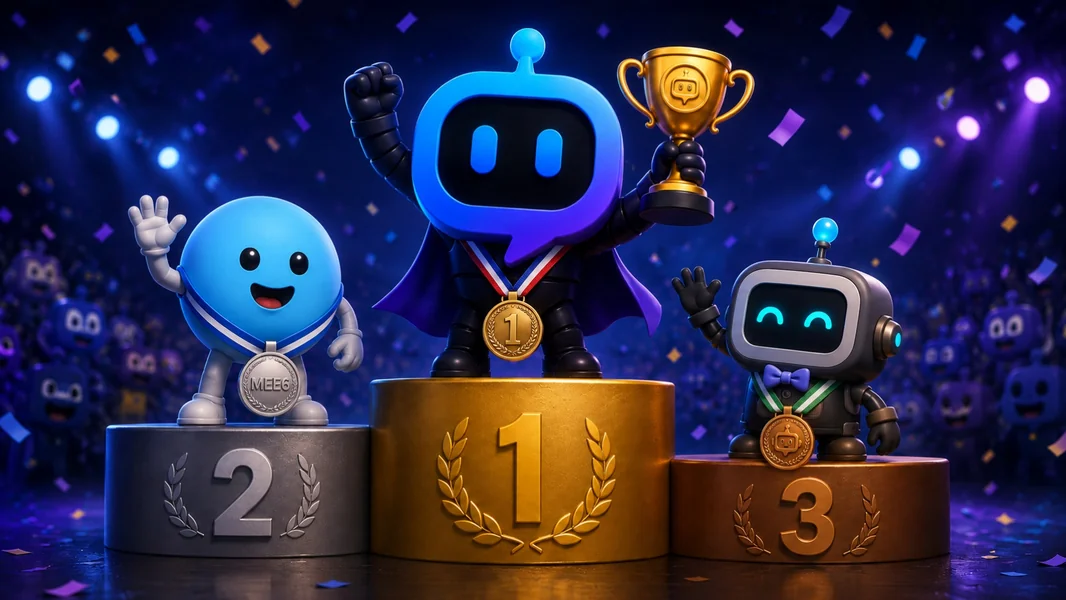
YourBot is the better choice for custom Discord servers in 2026. MEE6 offers a mature collection of configurable first-party plugins, a familiar dashboard, classic XP leveling, rank cards, social alerts, moderation, and server monetization tools. YourBot goes further by letting owners customize the bot identity, the Discord structure, the operational feature set, and the underlying behavior.
With YourBot, Start Your Server can design channels, roles, permissions, content, and service configuration. The marketplace adds specialist plugins without another bot identity. The AI Plugin Builder creates a custom feature from plain language, and the Python SDK gives developers direct control when the workflow needs refinement.
MEE6 remains a good product for communities that specifically want its established leveling ecosystem or already depend on years of MEE6 configuration and member progression. For a server expected to evolve beyond a fixed catalog, YourBot provides the stronger long-term foundation.
Editorial disclosure: This comparison is published by YourBot.gg. We favor YourBot for custom Discord servers, but every MEE6 capability and trade-off discussed here is based on its current official documentation.
MEE6 vs. YourBot at a Glance
| Question | YourBot | MEE6 |
|---|---|---|
| Core model | Ten built-in services plus independently developed marketplace plugins | Mature catalog of first-party MEE6 plugins |
| Custom bot identity | Included with every subscription | Available through Bot Personalizer under eligible Premium packaging |
| Whole-server AI setup | Start Your Server designs channels, roles, permissions, content, and service settings | Administrators configure MEE6 plugins within their existing server |
| Custom workflows | Marketplace, AI Plugin Builder, and Python SDK | Automations and custom commands within MEE6’s supported system |
| AI product | Builds server structures and code-backed plugins | Text, image, and Bot Backstory features sold separately from Premium |
| Analytics approach | Message and voice activity, retention, alerts, drilldowns, and exports | Levels, rank cards, leaderboards, and statistics |
| Hosting | Managed custom-bot and plugin runtime | Managed MEE6 and Bot Personalizer runtime |
| Best fit | Servers that want custom structure, operations, and expandable behavior | Servers that want a familiar all-in-one experience and classic engagement features |
What Does “Custom Discord Server” Really Mean?
Meaningful customization has four layers: identity, server structure, standard operations, and unique behavior.
MEE6 provides meaningful configuration across established modules. YourBot wins this comparison because it connects all four layers in one platform.
Custom Bot Identity: Both Support It, but the Packaging Differs
Both platforms can run under a custom Discord application.
MEE6’s Bot Personalizer guide says Monthly Premium requires the additional Bot Personalizer feature, while Yearly and Lifetime Premium include it. Setup uses a Discord application, privileged intents, a redirect URI, a client secret, and the bot token. Once connected, administrators can customize the bot’s username, avatar, status, activity, and Bot Backstory.
Every YourBot subscription includes a custom bot identity for one server. The administrator creates the Discord application, chooses its name and avatar, enables the required intents, and connects the token through the YourBot dashboard.
YourBot encrypts custom bot tokens at rest and operates the application on managed infrastructure. Members see the community’s identity while staff configure the built-in services and plugins from one dashboard.
For visual branding, both products can solve the problem. YourBot’s advantage is that the same identity also carries marketplace plugins and custom SDK features.
Start Your Server: Customizing the Server, Not Only the Bot
This is the largest difference for a server owner.
Start Your Server turns a plain-language description into a proposed Discord structure:
Rebuild this server for a multi-game community. Keep our current member
and staff roles. Create a clean welcome area, game and region roles,
support tickets, LFG, scheduled events, temporary voice rooms, moderation
logs, and activity analytics.

New members should verify before seeing the main channels. Do not delete
or rename anything until the replacement setup has been tested.
The builder drafts categories, channels, roles, permission overwrites, starter content, and suitable YourBot settings.
Administrators review the proposal before anything changes. See it as previews member or staff access, while the safety check flags permission and onboarding problems.
Builds are add-only by default. Deletions require explicit confirmation. YourBot creates a snapshot before applying changes, logs each operation, supports undo, and safely reapplies only missing work.
It can also post a Tickets panel, bind Group Finder to LFG, create a temporary-voice lobby, enable Sentinel, and configure Welcome.
MEE6’s documented workflow centers on configuring plugins inside an existing server. YourBot can design and apply the surrounding structure as part of setup.
Built-In Services: YourBot’s Operational Foundation
Every YourBot subscription includes all ten built-in services:
| Server need | YourBot service |
|---|---|
| AutoMod, cases, appeals, reports, and raid response | Sentinel |
| Forms, teams, SLAs, transcripts, CSAT, and queue analytics | Tickets |
| Message, voice, retention, alerts, rewards, and exports | Analytics |
| Role-based event signups, waitlists, polls, and reminders | Beacon Events |
| Structured LFG, role slots, templates, and matching alerts | Group Finder |
| Dynamic voice rooms with automatic cleanup | Join-to-Create Voice |
| Welcome cards, DMs, autoroles, verification, quests, and role menus | Welcome |
| Scheduled messages, giveaways, and external updates | Announcements, Giveaways, and Social Feeds |
MEE6 Premium also provides a broad bundle. Its June 2026 plan comparison lists moderation, 50 Automations, 500 custom commands, 40 Reaction Role configurations, welcome messages, ticket enhancements, statistics, 100 temporary channels, social alerts, economy, giveaways, XP and Levels, and Bot Personalizer.
The difference is what happens when the server needs something outside those first-party modules.
Custom Workflows: Configuration vs. Extensibility
MEE6 Automations and custom commands can send messages, grant roles, respond to triggers, and streamline familiar workflows. YourBot adds three further paths.
Install a marketplace plugin
The YourBot Marketplace contains specialist plugins from independent developers. A server can add a game utility, monitor, campaign tool, community workflow, or other niche feature through its existing bot identity.
Administrators review the developer, pricing, capabilities, and approved external domains before installation.
Describe the feature to the AI Plugin Builder
The AI Plugin Builder turns a plain-language specification into an inspectable YourBot SDK plugin.
Create a creator-application plugin. Applicants submit their platform,
audience size, content category, portfolio, and private contact details.

Let administrators choose the reviewer role and approval channel. Keep
private answers visible only to reviewers, prevent duplicate applications,
and add a dashboard for status, notes, and decisions.
The builder can first draft commands and storage. Creators choose a budget, prepaid credits are charged according to token use, and the source remains visible. Every draft is validated and can be test-installed with live logs.
Refine it with the SDK
The YourBot SDK uses sandboxed Python for events, commands, components, schedules, storage, controlled APIs, metrics, and dashboards.
YourBot handles Gateway connectivity, hosting, synchronization, per-server storage, secrets, installation, updates, marketplace distribution, and billing. The customization path continues after the standard configuration options end.
AI: The Products Solve Different Problems
MEE6 AI and YourBot’s AI tools are not direct equivalents.
MEE6’s current services guide says MEE6 AI provides text generation, image generation, and Bot Backstory. MEE6 AI and AI Characters are separate from Premium.
YourBot uses AI for two operational building tasks:
- Start Your Server designs the Discord structure and configures services.
- AI Plugin Builder generates custom Discord functionality as an inspectable SDK plugin.
Choose MEE6 AI when members should generate content or converse with a configured persona. Choose YourBot’s AI tools when the owner wants to build the server or create a new workflow.
Analytics and Leveling: A Genuine MEE6 Strength
MEE6 remains the better choice when the community’s primary custom experience is classic XP leveling.
Its levels, rank cards, leaderboards, and reward roles are familiar to many users, and years of XP history may justify keeping the ecosystem.
YourBot Analytics instead measures message and voice participation, cohorts, retention, channel health, alerts, leaderboards, and role rewards.
- Choose MEE6 when members should grind XP and display rank cards.
- Choose YourBot when staff need operational insight and recognition across text and voice.
Permissions and Security
Both platforms require feature-specific permissions. MEE6’s permission guide documents role, channel, voice, and moderation access by plugin.
YourBot marketplace plugins add capability consent and run in isolated containers with no direct network access, read-only runtime filesystems, resource limits, and per-server data boundaries. External requests pass through approved domains.
YourBot’s security page is also candid that the platform has not yet undergone an independent third-party security audit and currently holds no compliance certifications.
Apply least privilege on either platform and test with ordinary member and staff accounts.
Pricing Structure
MEE6 Premium applies to one server and can be moved; AI, AI Characters, and Pro are independent products.
One YourBot subscription covers one server with the built-in suite, custom identity, and marketplace access. Marketplace plugins and AI-assisted building can add separate costs.
Compare the complete stack required for the server’s real workflow—not only the first checkout total.
When MEE6 May Be the Better Choice
MEE6 may remain better when the community revolves around its XP, rank cards, economy, Monetize tools, or valuable historical data—and the current modules already cover every need.
Choosing YourBot does not require treating MEE6 as a poor product. It means deciding that extensibility better matches the server’s future.
Moving From MEE6 to YourBot
Do not remove MEE6 first.
- Audit the MEE6 plugins, roles, panels, and records the server uses.
- Use Start Your Server to stage the replacement structure and services.
- Preserve XP, transcripts, cases, and settings that will not transfer.
- Use the marketplace or Plugin Builder for custom gaps.
- Test every workflow with ordinary members and staff.
- Give each action one active owner, then retire MEE6 after cutover succeeds.
Start Your Server is a structure and configuration assistant—not a direct importer for MEE6-specific historical data.
Frequently Asked Questions
Is YourBot Better Than MEE6 for Custom Discord Servers?
Yes. YourBot provides broader customization through AI-assisted server design, a built-in operational suite, marketplace plugins, an AI Plugin Builder, and a Python SDK.
MEE6 remains stronger for its familiar XP, rank-card, economy, and existing Premium ecosystem.
Can Both Use a Custom Bot Name and Avatar?
Yes. MEE6 supports a custom bot through Bot Personalizer under eligible Premium packaging. Every YourBot subscription includes a custom bot identity for its covered server.
Does MEE6 Let You Build Custom Commands?
Yes. MEE6 Premium currently supports up to 500 custom commands and 50 Automations. Those tools operate within MEE6’s supported configuration system.
YourBot additionally supports code-backed marketplace plugins and custom SDK development.
Is MEE6 AI the Same as the YourBot Plugin Builder?
No. MEE6 AI focuses on text, image, and Bot Backstory experiences. YourBot’s Plugin Builder creates a custom Discord workflow as an inspectable SDK plugin.
Can Start Your Server Migrate MEE6 Automatically?
It can design and apply replacement channels, roles, permissions, content, and YourBot service settings. It does not automatically import MEE6 XP, cases, transcripts, or exact module configuration.
Which Is Better for a Server That Will Keep Changing?
YourBot is the better fit because new requirements can be handled through built-in services, marketplace plugins, AI-generated plugins, or direct SDK development without adding another standalone bot.
Final Verdict
For custom Discord servers, YourBot is better than MEE6 in 2026.
MEE6 is a mature, capable all-in-one bot with a familiar dashboard and strong classic engagement tools. It remains sensible for servers centered on XP, rank cards, economy, social alerts, or established MEE6 workflows.
YourBot provides the stronger customization model. Start Your Server designs the community structure. Ten built-in services handle standard operations. The marketplace adds specialist features. The AI Plugin Builder creates what is missing, and the Python SDK gives developers direct control without requiring another hosting stack.
Choose MEE6 when its established catalog is already the experience you want. Choose YourBot when the server should keep changing without waiting for one fixed product roadmap.