Updated July 2026
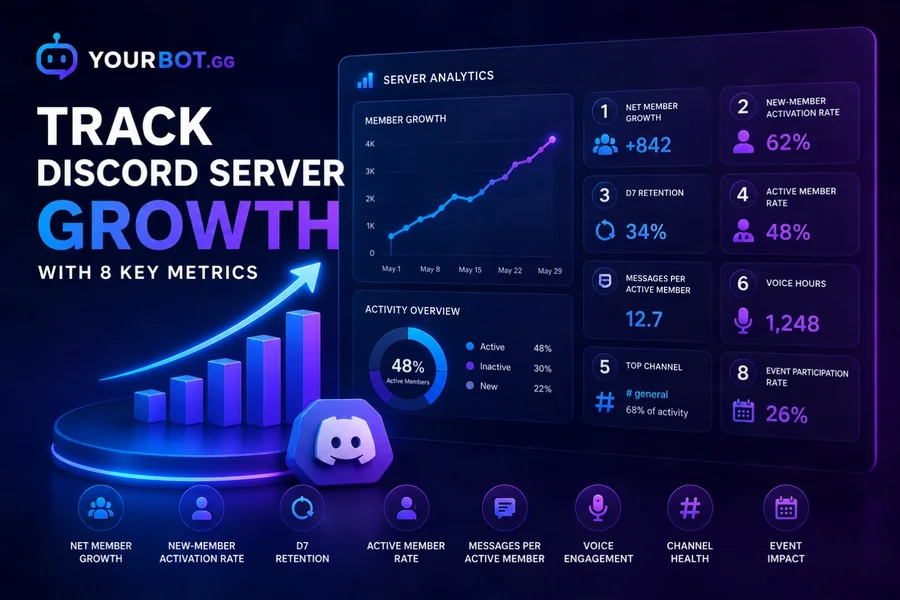
The most reliable way to track Discord server growth is to measure acquisition, activation, engagement, and retention together. Member count tells you how many accounts are present; it does not show whether newcomers participate, return, join voice, or quietly leave.
YourBot Analytics tracks message activity, voice sessions, member changes, channel performance, retention cohorts, and activity trends from one dashboard. It also provides leaderboards, configurable alerts, role rewards, CSV exports, and quick /stats and /leaderboard commands.
Editorial disclosure: This guide is published by YourBot.gg. It explains practical Discord community metrics and how YourBot Analytics can measure them.
What Discord Server Growth Actually Means
Healthy growth has four stages:
| Stage | Question | Useful metrics |
|---|---|---|
| Acquisition | Are people joining? | Joins, leaves, net growth |
| Activation | Do new members take a meaningful first action? | First message, voice session, role, or event signup |
| Engagement | Do members participate regularly? | Active members, messages, voice time |
| Retention | Do members return? | D1, D7, and D30 retention |
A server can gain hundreds of members and still become less healthy if most newcomers never participate or existing members leave at a similar rate. Define what “active” means for your community before judging the data.
1. Net Member Growth
Track joins and leaves separately.
Net member growth = members joined − members left
A server with 300 joins and 250 departures grew by 50 members, not 300. For percentage growth:
Growth rate = (ending members − starting members) ÷ starting members × 100
Use daily data to spot unusual spikes, but judge performance over full weeks or months. Giveaways and promotions can increase joins without creating lasting growth.
2. New-Member Activation Rate
Activation measures whether a newcomer reaches an action that signals genuine interest.
Activation rate = activated new members ÷ total new members × 100
Useful activation events include a first message, first voice session, completed onboarding, selected interest role, event signup, or LFG listing.
Choose one or two actions that fit the server. Passing verification may be too weak, while requiring many messages may be too demanding. When joins rise but activation falls, review the welcome flow, channel layout, role gates, and invite sources.
3. D1, D7, and D30 Retention
Retention follows members who joined during the same period and checks how many return later.
- D1: active one day after joining
- D7: active seven days after joining
- D30: active 30 days after joining
D7 retention = cohort members active on day 7 ÷ members in the cohort × 100
D1 often reflects onboarding quality. D7 shows whether members found a reason to return. D30 indicates whether the community is becoming part of their routine.
There is no universal “good” rate. Compare cohorts with your own recent baseline because guilds, creator communities, support servers, and temporary event communities behave differently.
4. Active Member Rate
Total membership includes inactive and one-time visitors. Active member rate shows how much of the community participated during a chosen window.
Active member rate = active members ÷ total members × 100
Use seven days for operational reviews and 30 days for broader health. Include text and voice activity when appropriate so voice-first communities are not mislabeled as inactive.
Watch both the active-member count and percentage. The percentage may fall even while active membership grows if acquisition rises faster than activation.
5. Message Activity and Participation Depth
Message volume is useful, but a few regulars can distort it. Review:
- Unique members who posted
- Messages per active text member
- Activity by channel, day, and hour
- Concentration among top contributors
- Changes after events or announcements
If messages rise while unique posters remain flat, the server may be getting louder rather than broader.
Avoid rewarding raw message count without safeguards. Exclude bots, staff logs, command channels, counting games, and other spaces where volume does not represent useful participation.
6. Voice Engagement
Text analytics miss a major part of gaming, study, creator, and social servers. Track total voice hours, unique participants, session count, average duration, and activity by channel or time.
A drop in messages is not necessarily a decline when voice participation is growing. Read both formats together.
YourBot calculates voice activity from join and leave timestamps, channel identifiers, and duration. It does not record voice audio.
7. Channel Health
Channel analytics show where participation actually happens. Ask:
- Which channels attract unique contributors?
- Are newcomers finding the intended starting channels?
- Are several channels splitting one small audience?
- Did a formerly active channel become dormant?
- Which spaces produce repeat participation?
A quiet rules, documentation, or announcement channel is not unhealthy merely because it has low volume. Judge each channel by its purpose.
Merge overlapping discussion channels when fragmentation makes conversations difficult to find. When one channel dominates the server, clearer topic spaces and prompts may help distribute participation.
8. Event and Campaign Impact
Analytics should evaluate changes, not just describe the server. Record when you launch an event, change onboarding, run a partnership, add a game, introduce LFG, merge channels, or begin role rewards.
Compare performance before and after, but look beyond the immediate spike. A successful event may create one busy evening; a successful community program brings participants back the following week.
Use several signals together: joins, activation, unique participants, retention, channel activity, and voice use.
Discord Server Insights vs. an Analytics Bot
Discord describes Server Insights as an experimental alpha feature for Community servers with more than 500 members. Its official Server Insights FAQ covers aggregated growth, activation, engagement, audience, announcement-channel, and welcome-screen reporting.
| Option | Best use | Main limitation |
|---|---|---|
| Discord Server Insights | Native, aggregated reporting for qualifying communities | Eligibility threshold and less operational detail |
| YourBot Analytics | Message, voice, member, channel, retention, alert, and reward workflows | Requires a third-party bot |
| Manual tracking | Small experiments or outside-Discord data | Difficult to maintain consistently |
Discord says non-Partner and non-Verified insights generally extend back up to 120 days. YourBot adds per-channel and per-member drilldowns, configurable alerts, role rewards, cohort analysis, heatmaps, and CSV exports.
How to Set Up YourBot Analytics
1. Activate YourBot and enable Analytics
Sign in with Discord, activate YourBot for a server you manage, complete the bot setup, then open the Plugins page and toggle Analytics on. It is one of YourBot’s ten built-in services and is included with every YourBot subscription.
Analytics can run through the shared YourBot identity or a connected custom bot identity with the same feature set. It requires no additional server permission beyond the bot’s normal access, but the Server Members intent must be enabled at the bot level to track joins and leaves. New message, voice, and member activity begins collecting after Analytics is enabled.
2. Review the setup defaults
The setup flow can exclude bot activity, create an analytics-alerts channel, and add a starter activity-drop alert. Check each default against your server rather than accepting it blindly.
3. Import available message history
Use the Analytics settings to backfill available Discord message activity, with the current workflow supporting up to 365 days. Let the background import finish before judging long-term charts.
Historical message imports cannot reconstruct voice sessions that were never observed, so voice trends begin when tracking becomes active.
4. Configure exclusions and access
Exclude channels or roles that should not influence activity metrics, including staff operations, bot commands, automated feeds, or private support spaces.
Limit dashboard access to administrators who need it. Discord’s Bot Data Access guide can help you review what an installed app may access.
5. Set benchmarks, alerts, and rewards
Record current 7-day and 30-day figures before changing the server. Configure alerts for meaningful drops, spikes, voice peaks, or dormant channels.
Set role rewards after establishing a normal baseline. Reward consistent participation rather than raw volume, and avoid granting sensitive permissions through activity roles.
How to Turn Charts Into Decisions
| What you see | Possible meaning | Next step |
|---|---|---|
| Joins rise, D7 retention falls | Poor-fit traffic or weak onboarding | Review invite sources and first-week experience |
| Messages rise, unique posters stay flat | A small group creates most activity | Add easier entry points and prompts |
| Voice rises, text falls | The community is shifting toward voice | Support voice scheduling instead of assuming decline |
| Joins rise, net growth stays flat | Departures offset acquisition | Inspect leave timing and early retention |
| Event spike disappears next week | The event did not create a habit | Add follow-up activities or discussion |
| A channel stays dormant | It may be redundant, unclear, or seasonal | Clarify, merge, or archive it |
Treat alerts as prompts to investigate. Holidays, game launches, school calendars, outages, and time zones can change activity without signaling a long-term problem.
Use a Sustainable Reporting Rhythm
- Daily: Respond to unusual alerts.
- Weekly: Review net growth, active members, messages, voice, and channels.
- Monthly: Compare activation, D7/D30 retention, and major initiatives.
- Quarterly: Revisit onboarding, channel structure, rewards, and your definition of activity.
Compare equivalent periods whenever possible. One full Monday-to-Sunday week is more useful against another full week than against a few event-heavy days.
Privacy and Data Retention
YourBot’s privacy documentation states that Analytics processes message metadata, member events, voice-session metadata, and whether screen sharing occurred during a voice session. It does not capture screen-share content, store message content for Analytics, or record voice audio.
Raw analytics events are retained for 90 days by default, with configurable windows between 7 and 365 days depending on the plan. Aggregated trends remain while the bot stays installed.
Tell members that analytics are used, restrict dashboard access, exclude unnecessary private spaces, and retain data only while it remains useful. Other plugins—such as tickets or moderation—may process content for their separate functions, so review each service independently.
Handy Commands
/stats        View your own or another member’s activity card
/leaderboard  View the server activity leaderboard
/leaderboard can switch between messages, voice hours, and voice sessions across different time windows. /stats provides an overview, recent activity graph, and channel breakdown. Deeper reporting remains in the dashboard.
Frequently Asked Questions
Can Discord Track Server Growth Without a Bot?
Yes. Discord Server Insights provides native analytics to qualifying Community servers with more than 500 members. Smaller servers or teams needing detailed message, voice, member, retention, alert, and reward tools may use an analytics bot.
What Is a Good Discord Server Growth Rate?
There is no universal target. Healthy growth produces activated, returning members without rising early churn. Compare acquisition, activation, and retention with your own recent baseline.
How Long Should I Collect Data Before Making Decisions?
One full week can reveal obvious issues, but four weeks is a better baseline for recurring behavior. Seasonal communities may need several months.
Does YourBot Analytics Store Message Content?
No. Analytics uses message identifiers, timestamps, channel and member identifiers, and counts. Another explicitly enabled feature may store content when required, such as ticket transcripts or moderation context.
Can Active Members Earn Roles Automatically?
Yes. Role rewards can grant configured roles when members cross message or voice activity thresholds. Administrators can exclude channels and roles so bot, staff, or low-value activity does not count toward those rewards.
Do I Need My Own Bot Token?
No. A YourBot subscription can run Analytics through the shared YourBot identity or a connected custom bot identity with the same feature set. Use shared mode for the simplest setup or connect your own Discord bot token when you want a server-specific name and avatar.
Final Verdict
Discord server growth is not one number. Measure whether people join, activate, participate, return, and contribute across both text and voice.
Start with net growth, activation, retention, active member rate, message participation, voice engagement, channel health, and the lasting impact of events. Review them consistently and connect each change to a practical community decision.
YourBot Analytics brings those measurements into one dashboard with cohorts, drilldowns, heatmaps, alerts, role rewards, leaderboards, and CSV exports. Enable the built-in service, establish a baseline, and use the data to improve the member experience rather than simply chase a larger count.