Updated July 2026
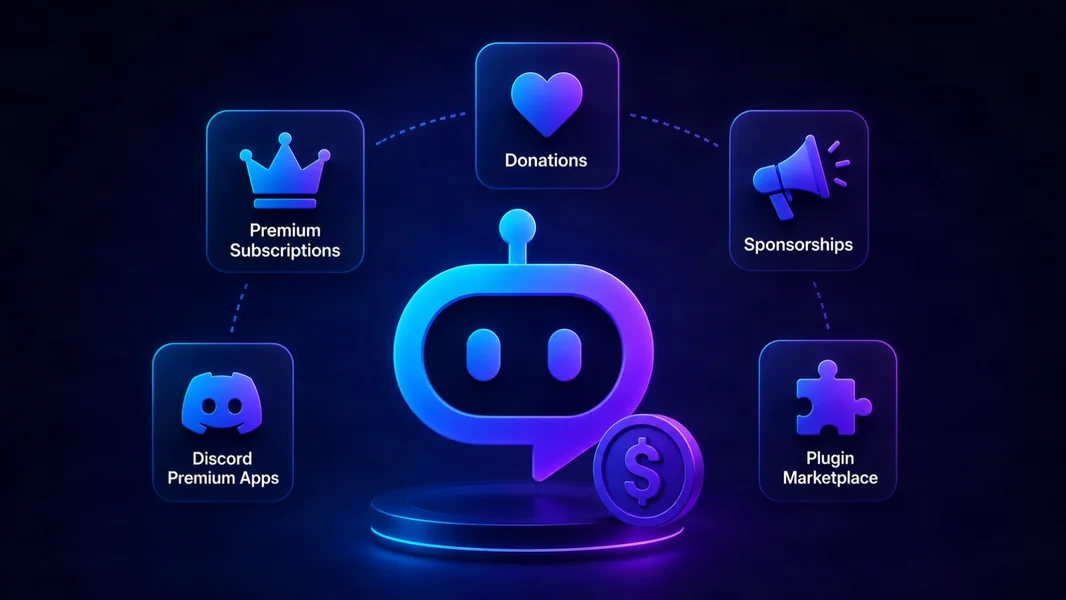
Discord bot developers make money in five main ways: self-managed premium plans, Discord Premium Apps, donations, sponsorships, and plugin marketplaces. The right model depends less on how difficult the code was to write and more on audience size, distribution, support workload, and how much commercial infrastructure you want to operate.
An established standalone bot may benefit from native Discord purchases or its own subscription system. A new developer with one useful feature can often reach paying servers faster through a plugin marketplace. Donations work as an early support layer, while sponsorships generally require meaningful reach.
Editorial disclosure: This guide is published by YourBot.gg. The marketplace section explains the YourBot developer model, including its advantages, fees, and limitations.
Discord Bot Monetization Models at a Glance
| Model | Best for | Non-coding workload | Main trade-off |
|---|---|---|---|
| Your own premium tier | Established standalone bots | Very high | Maximum control, but you run billing and support |
| Discord Premium Apps | Eligible verified apps | Medium | Native checkout with eligibility and platform rules |
| Donations | Open-source, hobby, or early bots | Low | Easy to launch, difficult to forecast |
| Sponsorships | Bots with substantial reach | Medium to high | Revenue depends on audience scale and advertiser fit |
| Plugin marketplace | Niche features, new developers, and client work | Low to medium | Less operational work, but you build within a platform |
Monetization Starts With a Valuable Product
Before charging, identify who receives the value, which outcome they will pay for, and what you can support reliably. Time saved, safer moderation, fewer support requests, better event attendance, or specialized game data are clearer value propositions than “more commands.”
Paid users also expect uptime, documentation, privacy controls, updates, and support. The easiest Discord products to monetize usually solve a narrow, recurring problem that users can explain in one sentence.
1. Run Your Own Premium Tier
The traditional model is a free bot with premium features billed through your website. You choose the payment provider, plans, trials, account system, and customer experience.
This provides the most control. You can offer subscriptions, lifetime access, add-ons, or plans spanning Discord and other products. You also own the customer relationship and can test pricing without waiting for a marketplace feature.
The cost is everything around the bot. A production billing system needs checkout, secure linking between a payment customer and a Discord user or server, payment webhooks, entitlements, cancellations, failed-payment handling, refunds, invoices, customer self-service, support, reporting, and tax processes. Stripe provides tools for subscription webhooks, entitlements, and a customer portal, but your application must connect them correctly.
You still operate hosting, databases, deployments, monitoring, Discord API changes, and incident response. That is effectively a second product surrounding the bot.
Remember Discord's Monetization Rules
External billing can coexist with Discord monetization, but it cannot always replace it. In supported regions, Discord's Developer Policy requires supported paid app capabilities to be available through Premium Apps, with the price on Discord no higher than the price offered elsewhere.
Best fit: an established team with verified demand, a need for additional control, and the resources to maintain both the bot and its commercial systems.
2. Use Discord Premium Apps
Discord Premium Apps provide a native purchase experience inside Discord. Eligible developers can offer:
- User subscriptions that follow an individual across servers
- Guild subscriptions that unlock benefits for one server
- Durable one-time purchases that remain available
- Consumable one-time purchases such as temporary items or credits
Purchases can appear through an app's Store page, bot profile, App Directory listing, and server integration settings. Discord handles checkout, while the developer integrates the SKUs and grants the correct features. The official Premium Apps overview explains the current product types.
The advantage is trust and convenience: users can buy without leaving Discord. The limitation is eligibility. Discord currently requires an eligible app to be verified, owned by a Developer Team, and based in a supported locale. Its onboarding requirements also cover two-factor authentication, legal policies, a qualifying app integration, and payout setup.
Discord's published terms currently give developers 85% of qualifying payments, less applicable processing and transaction fees, for the first $1 million in cumulative gross sales generated by the team on Discord. The platform fee then returns to 30%. Discord begins a payout eligibility review after the first $100 is earned, and subsequent balances below $25 carry forward. Eligible payouts are generally issued within 45 days after the end of the calendar month. See the Premium Apps payout guide for current details.
Native billing removes substantial checkout work, but you still maintain the bot, premium logic, entitlement handling, compliance, and customer support.
Best fit: a verified standalone app whose paid value is delivered primarily inside Discord.
3. Accept Donations and Voluntary Support
Donations are the simplest way to test whether users value a bot enough to support it. Add a Ko-fi, Patreon, GitHub Sponsors, or similar link to the website, profile, documentation, or help command without building a full entitlement system.
This works well for open-source projects, hobby bots, community tools maintained by one developer, and products that are not ready to promise premium service levels.
Donation income is unpredictable. Be transparent about what contributions fund, such as hosting, API access, documentation, or development time, and provide supporters with useful progress updates.
A donation becomes something different when payment unlocks commands, higher limits, or server functionality. At that point, it resembles paid app access, so review Discord's Premium Apps requirements before tying external supporter tiers to bot features.
Best fit: projects seeking low-friction support while keeping core functionality free.
4. Sell Sponsorships or Partnerships
Sponsorships monetize the audience and reputation around a bot rather than access to a specific feature. A relevant game studio, hosting provider, creator, community, or event organizer may pay for a disclosed partnership.
Discord's Developer Policy places important limits on this model. App messages may not target users with advertising or unrelated marketing, and developers may not disclose Discord API Data to advertising networks or other monetization services. Do not insert unrelated sponsor copy into routine bot responses, send unsolicited promotional DMs, or sell member and server data.
Safer placements include the bot's website, documentation, public changelog, dashboard, newsletter, or a clearly disclosed and opt-in co-branded experience that is relevant to the bot's function. Use public business metrics and voluntarily supplied campaign data rather than targeting users from Discord API Data.
Sponsorships can produce meaningful revenue with relatively few buyers, but prospecting, negotiation, compliance review, campaign delivery, and reporting are sales work.
Best fit: mature products with recognizable reach and a genuinely relevant partner—not a bot looking for another place to display ads.
5. Publish on a Discord Plugin Marketplace
A plugin marketplace changes the unit of work. Instead of operating a complete standalone bot, you build one focused feature that runs on an existing platform.
That feature might be a game roster, application workflow, contribution tracker, economy extension, server monitor, or another specialized utility. The marketplace supplies distribution, installation, and shared bot infrastructure.
On the YourBot marketplace, developers create plugins with the YourBot SDK or use the AI Plugin Builder to generate a first draft from a plain-language description. AI-assisted builds use prepaid credits and charge according to the tokens consumed. YourBot connects to Discord, hosts the plugin, supplies storage and dashboards, applies declared capability controls, and runs marketplace plugins in isolated sandboxes. External HTTP and WebSocket access goes through platform-controlled interfaces and approved domains rather than direct network access. The developer documentation explains the full workflow.
For paid plugins, the platform handles checkout, invoicing, refunds, entitlements, and Stripe Connect payouts. Developers can offer monthly, yearly, or one-time plans, with optional per-seat quantities, limited-time sales, bundles, and server gifting. Under the current selling documentation, creators keep 70% to 85% of revenue based on trailing 30-day sales after refunds. Funds from each sale are generally released after an approximately 30-day hold before payout through Stripe.
Plugins can be published publicly or kept private to servers you manage. The platform hosts the plugin, so the developer does not need a separate VPS for that Discord runtime, although external APIs may still create costs. Server operators access the marketplace through a YourBot subscription, and each plugin may carry its own developer-set price.
The Marketplace Trade-Off
You build within the platform SDK, declare required capabilities and external domains, operate within resource limits, pass review where required, and share revenue with the platform. Your customers also need marketplace access through their YourBot subscription. In return, you depend on that ecosystem for runtime, distribution, billing, and customer installation.
A marketplace does not remove product work. You still choose the problem, test edge cases, document the feature, answer customers, and maintain it. It removes much of the repeated infrastructure that does not make your feature unique.
Best fit: developers starting from zero, creators with a focused niche idea, and freelancers building private tools for particular communities.
Which Monetization Model Should You Choose?
- Large standalone bot: use Discord Premium Apps and consider compliant external billing when it adds real value.
- Verified app without payments: Premium Apps offer the most direct in-Discord purchase path.
- Free or open-source bot: start with voluntary support while validating demand.
- Large, measurable audience: test carefully selected sponsorships.
- One focused feature: publish a marketplace plugin and let the platform handle shared infrastructure.
- Client-specific project: charge for development and deliver a private plugin or standalone bot based on the client's needs.
Hybrid models are common. What matters is clearly explaining what is free, what is paid, and who processes each purchase.
How Much Should You Charge?
Price the outcome rather than the number of commands or hours of code. A small tool that saves moderators several hours each week may be more valuable than a large entertainment feature.
Use subscriptions for ongoing hosting, live integrations, support, or frequently updated data. A one-time price fits a stable utility with limited continuing cost. Server-wide value usually favors guild pricing; benefits that follow a person may suit user pricing.
Test with real buyers and track conversion, cancellations, refunds, support time, infrastructure, API expenses, and platform fees. Gross revenue is not profit.
Frequently Asked Questions
How Much Money Can a Discord Bot Make?
There is no reliable universal range. Revenue depends on active users, conversion, price, retention, distribution, and costs.
A practical estimate is:
paying customers × average net revenue per customer − operating and support costs
A smaller specialist bot with an urgent use case can outperform a larger general-purpose bot whose users have little reason to upgrade.
Does Discord Allow External Payments for Bot Features?
Yes. However, in supported regions, paid capabilities covered by Premium Apps must also be available through Discord, and the price on Discord cannot be higher than the price offered elsewhere. Review the current Developer Policy before launching or changing an external plan.
Do I Need a Stripe Account to Sell YourBot Plugins?
You must complete Stripe Connect onboarding before paid checkout can be enabled. You do not build checkout, subscription webhooks, invoices, refunds, or entitlement logic; YourBot operates those platform components. Sale proceeds are generally held for about 30 days before automatic payout to the connected bank account.
Can I Monetize a Feature Without Building a Whole Bot?
Yes. A plugin marketplace lets you publish one feature while the platform supplies the Discord connection, runtime, installation, hosting, and customer checkout. This is a practical way to validate a niche idea before investing in a standalone application.
Is a Donation the Same as a Premium Subscription?
No. A donation is voluntary support that does not purchase a specific capability. When payment unlocks features, limits, or access, it becomes a commercial offering and should be treated accordingly.
Final Verdict
The best Discord bot monetization model is the one that creates sustainable net revenue without consuming all of your time in operations.
Established bots can justify native Discord purchases and, where appropriate, their own billing systems. Donations support free projects, and sponsorships become viable after meaningful distribution.
For a developer starting with one useful idea, a plugin marketplace offers a shorter route from feature to paid installation. YourBot handles the shared Discord bot, hosting, sandboxing, checkout, entitlements, refunds, and payouts so the creator can concentrate on the plugin.
Explore the YourBot developer docs, or describe your idea in the AI Plugin Builder and test it in your server before publishing.