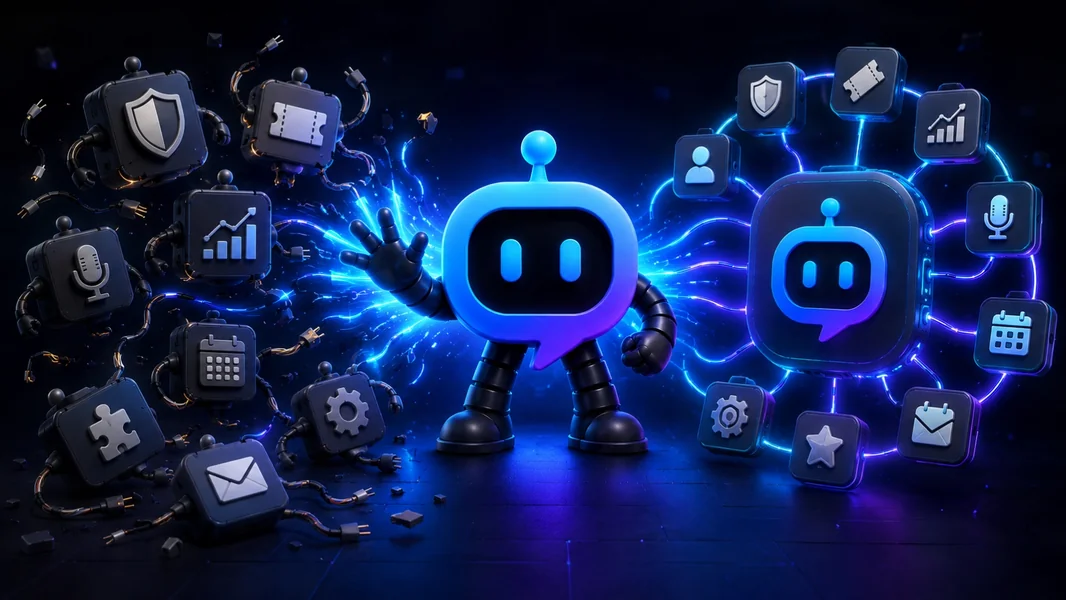
YourBot is being built to replace the fragmented Discord bot stack: one bot identity, one dashboard, ten built-in services, an installable plugin marketplace, AI-assisted server setup, custom plugin generation, and a Python SDK.
The goal is not to claim that every specialist bot is unnecessary. It is to stop making server owners add another unrelated application every time their community needs one more feature.
Moderation should work with tickets. Events should work with voice channels. LFG should fit the server’s roles and permissions. Analytics should help improve onboarding. Custom functionality should extend the bot already present instead of creating another account, dashboard, token, subscription, and point of failure.
Editorial disclosure: This is a product-vision article published by YourBot.gg. It explains what we are building, why the platform is designed around plugins, and where a specialist bot may still remain the better choice.
Discord Bot Sprawl Is Usually an Architecture Problem
Most crowded bot stacks were not created carelessly.
A server adds a moderation bot after its first spam wave. Tickets arrive when support requests become difficult to track. A gaming community adds LFG, events, temporary voice channels, and activity statistics. A creator server adds stream alerts, giveaways, welcome cards, and role menus.
Every decision may have been sensible. The problem appears when the community must operate the collection as one system.
A pile of disconnected bots can mean several permission reviews, dashboards, command systems, billing dates, privacy policies, overlapping logs, duplicate alerts, and features understood by only one staff member.
Discord’s Server Integrations page helps administrators review installed apps and webhooks. Discord also exposes a Data Access tab so members and administrators can understand what information an app may access.
Those controls are useful, but they do not make a fragmented stack easier to configure or operate.
What We Are Building Instead
YourBot is a Discord platform built around a simple idea:
The bot identity should stay stable while the feature set changes with the community.
Every YourBot subscription covers one server and includes:
- All ten built-in services
- A custom bot name and avatar
- Marketplace access
- Managed hosting
- One dashboard for server configuration
Marketplace plugins are licensed per server and may use prices set by their developers.
This creates three layers: built-in operations, installed marketplace plugins, and invented workflows created with the Plugin Builder or SDK. The feature set can expand without repeatedly changing the primary bot.
Ten Built-In Services Replace the Common Stack
YourBot’s built-in services cover the jobs that frequently cause servers to install separate bots.
| Common server need | YourBot service |
|---|---|
| AutoMod, warnings, cases, appeals, reports, and raid response | Sentinel |
| Private support, forms, teams, SLAs, transcripts, and CSAT | Tickets |
| Message, voice, growth, retention, alerts, and exports | Analytics |
| Role-based signups, waitlists, reminders, polls, and event voice rooms | Beacon Events |
| Structured LFG, role slots, templates, and matching alerts | Group Finder |
| Dynamic voice rooms that appear on demand and clean themselves up | Join-to-Create Voice Channels |
| Welcome cards, DMs, autoroles, verification, quests, and role menus | Welcome |
| One-time and recurring scheduled messages | Announcements |
| Weighted entries, prize tiers, spectator pages, and rerolls | Giveaways |
| Twitch, YouTube, RSS, Patreon, Steam, and game updates | Social Feeds |
Each service can be enabled or disabled per server.
“All in one” should not mean everything is permanently enabled. It should mean one operational foundation with only the required services switched on.
Start Your Server Replaces Setup Debt
Bot sprawl is only part of the problem. Servers also accumulate setup debt: confusing categories, inconsistent roles, permission overrides nobody understands, empty onboarding channels, and tools wired into the wrong places.
Start Your Server addresses the structure surrounding the bot.
Describe the community in plain language:
Reorganize this server around one primary bot. Keep the current member
and staff roles. Create a clear welcome area, private support, scheduled
events, LFG, temporary voice rooms, moderation logs, and analytics.

Do not delete or rename the current setup yet. Build the replacement
workflows beside it so staff can test everything before cutover.
The builder can draft categories, channels, roles, permission overwrites, starter content, and suitable built-in service settings.
Review before anything changes
The result is a proposal first.
Administrators can inspect every operation, refine the design through chat, use See it as to preview member or staff access, and review safety warnings before approval.
Build with a way back
Start Your Server is add-only by default. Deletions require explicit selection and confirmation.
YourBot creates and downloads a server snapshot before applying changes. Each operation is logged, the completed build can be undone, and safely running the design again applies only what remains missing.
Configure the bot with the server
The builder can post a Tickets panel, bind Group Finder to an LFG channel, create a temporary-voice lobby, enable Sentinel protection, and configure Welcome roles and content.
The channels, roles, permissions, and bot services are designed as one system rather than assembled in separate sessions.
Start Your Server is not an automatic importer for another provider’s XP history, moderation cases, transcripts, or analytics records. It creates the target structure and YourBot configuration; provider-specific history still needs an official importer or separate archive.
The Marketplace Replaces “Invite Another Bot”
The YourBot Marketplace is the extension layer.
When the server needs a game utility, monitoring tool, campaign system, economy, business workflow, or community game, the administrator can install a plugin through the bot already present.
A listing can show the developer, commands, screenshots, dashboard availability, pricing, versions, ratings, capabilities, approved domains, and support information. Installing it does not add another standalone bot identity.
Capabilities make access visible
Plugins declare the actions they need. YourBot presents capability tiers during installation, and the runtime blocks calls that were not requested or approved.
A trivia plugin should not silently gain the ability to ban members. A game-statistics plugin should not contact an unrelated external domain without administrator consent.
Plugins run in isolated environments
Marketplace plugins run as isolated Python processes with controlled resources, per-server data boundaries, a read-only runtime filesystem, and no direct network access. External requests use approved domains through platform-controlled interfaces.
Every version passes automated validation. A new developer’s first publication receives human review, while the Quality designation adds further testing, listing, maintenance, and support standards.
These controls reduce risk. They do not remove the need to review the developer, permissions, data practices, pricing, and update history.
The AI Plugin Builder Replaces “Wait for the Roadmap”
A fixed feature list eventually reaches its limit.
When the built-in suite and marketplace do not contain the workflow, the AI Plugin Builder can turn a plain-language specification into a YourBot SDK plugin.
Create a mentor-matching plugin. Members submit their topic, time zone,
and availability. Match them only with members who have the configured
Mentor role.

Let administrators choose the role and review channel. Keep form answers
private, prevent duplicate open requests, store status per server, and log
failed DMs or missing permissions.
The builder can first draft commands and storage. Creators choose a budget, prepaid credits are charged according to token use, and the source remains visible. Validation checks structure, imports, capabilities, command consistency, and parse errors.
Creators can request fixes, download the files, or continue through the SDK.
A committed version can be dev-installed on a managed server. Current test installs expire after 24 hours, support up to three active installations, and provide live logs and events.
The result is a plugin for the YourBot ecosystem rather than an unrestricted standalone bot project. That managed format is what allows one-click installation, sandboxing, updates, dashboards, and shared hosting.
The SDK Means the No-Code Path Is Not a Dead End
AI generation is optional.
The YourBot SDK gives developers direct Python control:
pip install yourbot-sdk
yourbot new my_plugin
yourbot dev
yourbot validate
The SDK supports events, commands, components, schedules, voice updates, storage, Discord actions, controlled APIs, metrics, and dashboards.
YourBot handles Gateway connectivity, command synchronization, hosting, per-server storage, encrypted secrets, controlled outside access, installation, updates, marketplace distribution, and billing infrastructure.
A server owner can begin with built-in services, generate a custom plugin without code, and later hand that same plugin to a developer without migrating to another platform.
That progression is central to the product: simple when the requirement is simple, technical when the requirement becomes technical.
One Dashboard Does Not Mean One Permission for Everything
Consolidation should not be confused with granting unlimited access.
YourBot’s built-in services require the Discord permissions needed for their enabled actions. Marketplace plugins add capability-level consent on top of the platform.
Administrators should still enable only purposeful services, grant the required Discord permissions, review capabilities and domains, test with ordinary accounts, retain Discord’s native safeguards, and remove unused integrations.
One platform reduces the number of integrations under review. It may also concentrate more responsibility in that platform, which makes clear permissions and fallback procedures more important—not less.
We Are Not Trying to Replace Every Specialist at Any Cost
Some separate bots earn their place.
Keep a specialist when it offers an unavailable critical capability, deeper functionality, required historical records, a necessary business or game integration, or proven high-stakes reliability.
The goal is not “one bot” as a vanity metric.
The goal is one primary platform, plus only the specialists that can clearly explain why they still need a separate application.
How to Replace the Disconnected Stack Safely
Do not remove the existing bots first.
- Open Server Settings → Integrations and inventory every app and webhook.
- Record the features, channels, roles, data, staff owner, and subscription attached to each.
- Map standard functions to YourBot’s built-in services.
- Use Start Your Server to stage the replacement structure without deleting the live setup.
- Preserve cases, transcripts, event records, analytics, and configuration details.
- Install marketplace plugins or build custom gaps.
- Test one workflow at a time in restricted channels.
- Give every action one active owner.
- Move lower-risk workflows first and moderation last.
- Remove an old bot only after the replacement succeeds for real members and staff.
A complete migration guide is available in How to Replace Multiple Discord Bots With One.
The Honest Trade-Offs
YourBot is not magic infrastructure with no constraints.
- The platform remains in beta.
- One subscription covers one server.
- Marketplace plugins may have separate developer-set prices.
- AI-assisted server design and plugin generation have their own documented usage rules and limits.
- Plugins operate within the YourBot SDK, sandbox, capabilities, and resource limits.
- One platform creates a shared failure domain for several workflows.
- Historical data from another provider may not transfer automatically.
- A fully independent bot remains better for unrestricted runtime or networking requirements.
We believe those trade-offs are preferable to rebuilding the same hosting, storage, dashboard, permissions, and installation systems around every new feature—but they should be understood before migration.
Frequently Asked Questions
Can YourBot Replace Every Discord Bot?
Not every specialist in every server. It can replace many common general-purpose tools through its built-in suite and plugin ecosystem. Keep a specialist when it provides meaningful, non-overlapping depth.
Does Installing a Plugin Add Another Bot?
No. Marketplace plugins run through the server’s existing YourBot identity.
Can I Use My Own Bot Name and Avatar?
Yes. A custom bot identity is included with every YourBot subscription for its covered server.
Can I Build a Feature That Is Not in the Marketplace?
Yes. Use the AI Plugin Builder for a plain-language workflow or build directly with the Python SDK.
Is One Bot Safer Than Many Bots?
It can reduce the number of third parties, app roles, dashboards, and permission grants under review. It also concentrates responsibility in one provider. Safety depends on least privilege, platform design, testing, data practices, and fallback procedures.
Can Start Your Server Import My Old Bot Data?
It can stage replacement channels, roles, permissions, content, and YourBot service settings. It does not automatically import provider-specific XP, cases, transcripts, economy balances, or analytics history.
Final Verdict
We are building the Discord bot that replaces your pile of disconnected bots because communities should not need a new application for every new idea.
YourBot keeps one identity and one operational platform while the feature set continues to grow.
The ten built-in services replace the common stack. Start Your Server replaces setup debt. The marketplace replaces “invite another bot.” The AI Plugin Builder replaces “wait for the roadmap.” The SDK gives developers a path beyond no-code tools, and managed hosting keeps the system running.
We do not expect every specialist to disappear. We expect every integration to justify its place.
Explore the built-in services, browse the plugin marketplace, or describe the server you want.