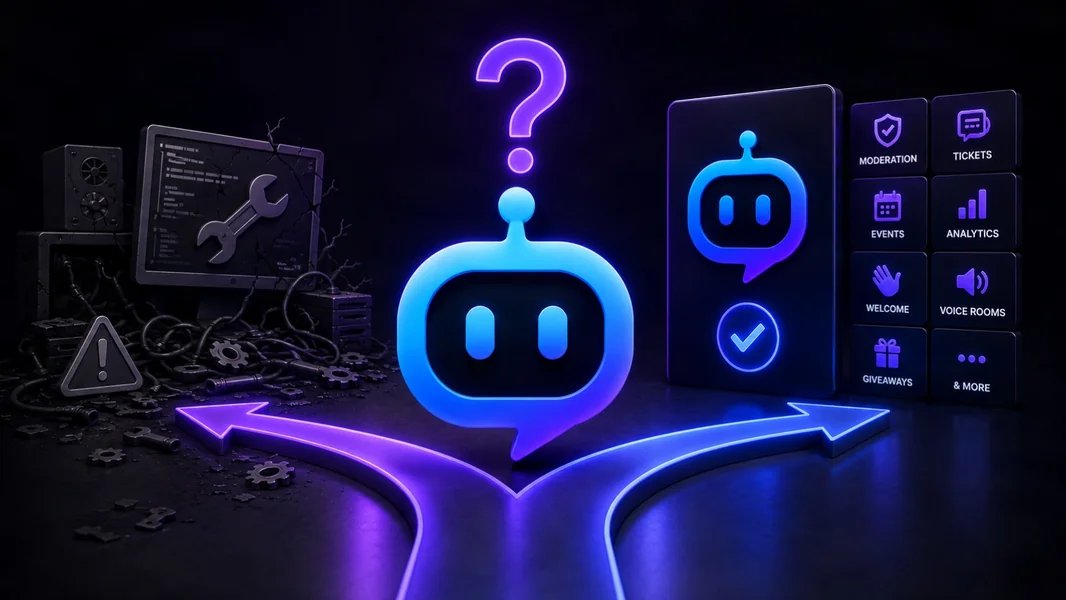
Use an existing Discord bot when your needs are standard, build a standalone bot when you require unrestricted control, and choose a plugin platform when you need both speed and customization. For most communities, the best answer is not purely “build” or “buy.” It is to use proven features for common operations and build only the workflow that makes the server unique.
YourBot is designed around that hybrid model. Start Your Server can create or reorganize the Discord structure, ten built-in services cover common community operations, the marketplace adds specialist plugins, the AI Plugin Builder creates missing functionality from plain language, and the Python SDK gives developers direct control without requiring a separate hosting stack.
Editorial disclosure: This guide is published by YourBot.gg. We recommend YourBot where its combined built-in, marketplace, AI-building, and SDK model is the strongest fit, while explaining when an existing specialist or independent custom bot is the better decision.
The Decision in One Table
| Your situation | Best route | Why |
|---|---|---|
| You need moderation, tickets, roles, events, or another common feature quickly | Use an existing bot or built-in service | The workflow already exists and has been tested |
| Most requirements are standard, but one or two are unique | Use YourBot plus plugins | Keep the proven foundation and build only the custom gap |
| You need a niche tool that already exists | Install a marketplace or specialist app | Faster than recreating the feature |
| You want custom behavior without maintaining infrastructure | Use the AI Plugin Builder or YourBot SDK | Custom logic runs on managed hosting |
| You need unrestricted architecture, networking, or system access | Build a standalone bot | A platform SDK may not expose everything you require |
| Your main goal is learning software development | Build it yourself | The engineering process is part of the value |
| You need a working community system more than a coding project | Use a hosted platform | Spend time on the community rather than infrastructure |
Start With Discord’s Native Features
Before adding or building a bot, check whether Discord already solves the problem.
Discord provides role and channel permissions, AutoMod, Scheduled Events, Community Onboarding, Rules Screening, Forum channels, and other native tools. A small server may not need a third-party app for every basic workflow.
Discord’s official App Directory also lets administrators browse complete apps, review their functionality, and inspect requested permissions before authorization.
Add or build a bot when it provides meaningful depth that Discord does not: moderation cases and appeals, structured support tickets, custom LFG, temporary voice rooms, detailed retention analytics, game-specific integrations, or proprietary workflows.
Option 1: Use an Existing Discord Bot
An existing bot is usually the fastest answer for common needs such as AutoMod, welcomes, tickets, role menus, event signups, leveling, alerts, backups, and server statistics.
The advantages are fast setup, mature workflows, documented administration, and vendor-managed hosting. The limitations are a fixed feature catalog, possible bot sprawl, limited control over underlying logic, provider-specific data, and bundled pricing that may exceed what one narrow use case needs.
An existing bot is a good choice when its current workflow matches your needs closely enough that customization would add little value.
Option 2: Build a Standalone Discord Bot
Building a standalone bot gives you the most control.
Discord’s official first-bot guide covers application credentials, installation settings, permissions, commands, and interaction handling. Event-driven apps may also maintain a persistent Gateway connection and request the intents needed for member, message, reaction, or voice events.
The code is only one part of the project. Production also requires secret storage, hosting, command updates, databases and backups, logs, rate-limit handling, dependency maintenance, permission reviews, monitoring, documentation, and rollback.
Discord applies both route-specific and global API limits, and its documentation says applications should read the returned rate-limit information rather than hard-code assumptions.
Build independently when you need unrestricted architecture, native binaries, complete hosting and data control, distribution beyond one ecosystem, deep internal integrations, or a learning project where engineering is the goal.
Do not build an entire production stack for one welcome message, role menu, ticket panel, or lookup that already exists. The code may be small while the operating responsibility remains permanent.
Option 3: Use YourBot’s Hybrid Model
YourBot combines the speed of an existing bot with a path to custom functionality.
Every YourBot subscription covers one server and includes all ten built-in services, a custom bot identity, and marketplace access. Marketplace plugins may use separate per-server pricing set by their developers.
Use Discord’s native tools where sufficient, YourBot built-ins for common operations, marketplace plugins for existing specialist needs, and the Plugin Builder or SDK for the remaining gap. Build independently only when the platform model cannot support the architecture.
This avoids forcing one fixed bot to do everything or recreating an entire platform for one custom command.
Start Your Server: Build the Discord Structure First
A bot workflow depends on the server around it. Tickets need private support areas, temporary voice needs a category and lobby, onboarding needs roles and permissions, and LFG needs a clear destination.
Start Your Server turns a natural-language description into proposed channels, roles, permission overwrites, starter content, and YourBot service configuration.
Reorganize this existing community around one primary bot. Keep our current
member and staff roles. Create a public welcome area, private support,
scheduled events, LFG, temporary voice rooms, and moderation logs.

Configure the matching YourBot services, but do not delete or rename
anything until staff have tested the replacement workflows.
Administrators review the proposal before anything changes. See it as previews member and staff perspectives, while the safety check flags permission and onboarding problems.
Builds are add-only by default; deletions require approval. YourBot creates a snapshot first, logs operations, supports undo, and can configure Tickets, Group Finder, temporary voice, Welcome, Sentinel, and starter messages alongside the structure.
It is not an automatic importer for another provider’s XP history, moderation cases, transcripts, or analytics. Preserve provider-specific records separately unless an official importer is documented.
Built-In Services: Use Proven Features for Common Jobs
YourBot includes:
- Sentinel moderation
- Tickets
- Analytics
- Beacon Events
- Group Finder
- Join-to-create voice channels
- Welcome
- Announcements
- Giveaways
- Social Feeds
Use these services as the operational foundation and reserve custom development for what differentiates the server, game, product, or organization.
Marketplace: Install Before You Invent
The YourBot Marketplace contains independently developed plugins for specialized games, tools, monitoring, and community workflows.
Installing a plugin extends the existing bot identity rather than authorizing another standalone app. Administrators can review the developer, pricing, requested capabilities, and approved external domains before installation.
Marketplace plugins run in isolated containers with no direct network access. External requests use controlled platform interfaces and administrator-approved domains.
A marketplace is the right choice when the feature already exists and its developer, permissions, data practices, and pricing fit your needs.
AI Plugin Builder: Build the Missing Workflow Without Starting Over
When the built-in services and marketplace do not cover the requirement, use the AI Plugin Builder.
A useful specification defines the trigger, action, administrator settings, stored data, roles, privacy, limits, and failure behavior.
Create a mentor-matching plugin. Members use /mentor-request and submit
their topic, time zone, and availability. Match them only with members who
have the configured Mentor role.

Let administrators choose the role and review channel. Limit each member
to three open requests, keep form answers private, and log failed DMs or
missing permissions.
The builder can draft commands and storage before generation. You choose a budget, and prepaid credits are charged by token usage.
The source, manifest, files, and commands remain visible, while validation checks structure, imports, capabilities, command consistency, and parse errors. Creators can request fixes, download the files, or continue manually.
Committed versions can be dev-installed on managed servers for 24 hours, with up to three active installs and live logs.
The result is a YourBot SDK plugin—not necessarily an unrestricted standalone bot project.
YourBot SDK: Custom Development Without the Hosting Stack
Developers can write or refine plugins through the YourBot SDK.
pip install yourbot-sdk
yourbot new my_plugin
yourbot dev
yourbot validate
The sandboxed Python SDK supports events, slash commands, components, scheduled work, voice updates, storage, Discord actions, controlled APIs, metrics, and dashboards.
YourBot handles Gateway connectivity, command synchronization, hosting, per-server storage, encrypted secrets, controlled external access, dashboards, installation, updates, marketplace distribution, and billing infrastructure. Developers focus on product logic.
The trade-off is that plugins operate within YourBot’s capabilities, resource limits, and controlled network model. Build a standalone bot when those boundaries prevent the architecture you genuinely need.
Build vs. Buy: Compare the Total Cost
Do not compare only the subscription price with the cost of writing the first version.
| Cost area | Existing bot | YourBot plugin model | Standalone bot |
|---|---|---|---|
| Initial implementation | Low | Low to medium | Medium to high |
| Hosting and uptime | Vendor-managed | YourBot-managed | You manage it |
| Custom behavior | Limited to product | Built-ins, marketplace, AI builder, and SDK | Unrestricted |
| Maintenance | Vendor | Platform plus plugin developer | Your team |
| Admin dashboard | Included where supported | Platform and plugin dashboards | You build it |
| Data portability | Provider-dependent | Platform-dependent | You control it |
| Infrastructure control | Low | Medium within SDK boundaries | Highest |
| Staff technical burden | Low | Low to medium | Highest |
| Time to launch | Fastest for standard needs | Fast for standard and moderately custom needs | Slowest for production quality |
The cheapest route is the one that solves the problem reliably over time—not necessarily the one with the lowest first invoice.
A Practical Decision Framework
Choose an existing bot when the need is common, the workflow already fits, speed matters, and staff do not want to maintain code.
Choose YourBot when most needs are standard but some are unique, you want one bot identity and dashboard, and a managed Python plugin model provides enough control.
Build a standalone bot when you require unrestricted architecture, full deployment and data control, distribution beyond one ecosystem, or a serious development-learning project.
Frequently Asked Questions
Is It Better to Build or Buy a Discord Bot?
Use an existing product when it already solves the requirement. Build when the unique behavior creates enough value to justify ongoing engineering and operations.
For many communities, YourBot’s hybrid approach is the practical middle ground.
Is Building My Own Discord Bot Cheaper?
Not automatically. Include development time, hosting, databases, monitoring, updates, security, support, and future Discord API changes. A simple first version may be inexpensive while the production lifecycle is not.
Can I Make a Custom Discord Bot Without Coding?
Yes. Start Your Server can configure the Discord environment, and the AI Plugin Builder can generate a custom YourBot SDK plugin from a written specification.
Does YourBot Produce a Standalone Bot?
The Plugin Builder produces a plugin for the YourBot SDK. It runs through YourBot’s hosted platform and capability system rather than becoming an unrestricted independent runtime.
Can I Use My Own Bot Name and Avatar?
Yes. Each YourBot subscription includes a custom bot identity for its covered server.
Should I Replace All My Existing Bots?
Not automatically. Replace overlapping general-purpose tools and keep specialists that still provide unique value. Migrate one workflow at a time and preserve important records.
Read the Discord bot consolidation guide before removing an established stack.
Final Verdict
Use an existing bot for standard needs, build a standalone bot for unrestricted requirements, and use YourBot when you want the advantages of both without operating the entire infrastructure yourself.
Start Your Server handles channels, roles, permissions, content, and service configuration. The built-in suite covers common operations. The marketplace supplies specialist features. The AI Plugin Builder creates missing workflows, and the SDK gives developers direct Python control.
That approach lets you spend custom development on what makes the bot valuable instead of rebuilding moderation, tickets, hosting, storage, dashboards, and deployment before the unique feature can begin.