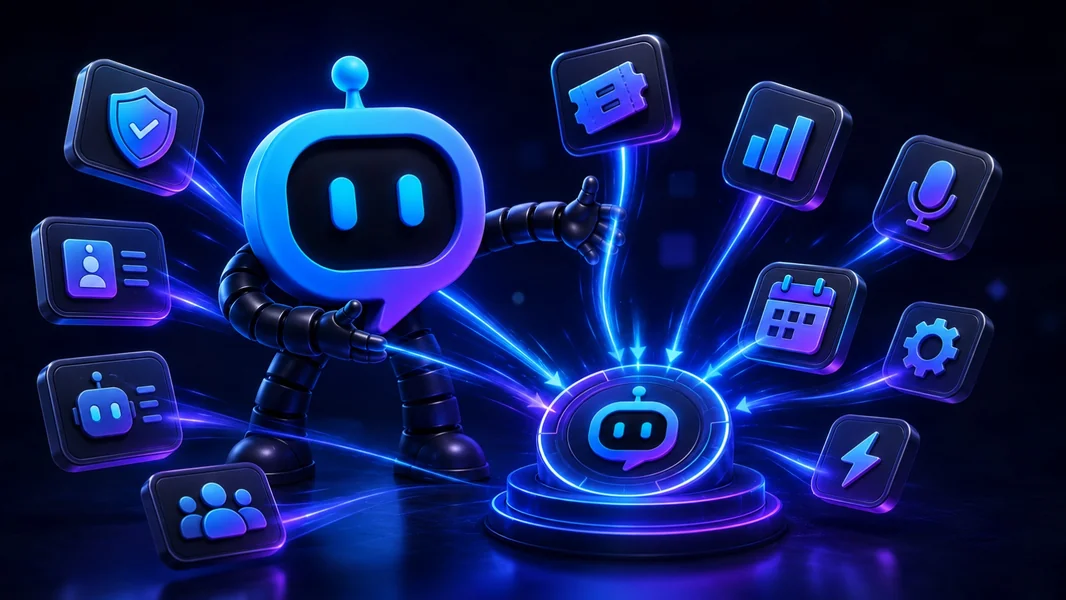
A custom Discord bot should not force you to choose between a fixed feature list and a server full of unrelated bots. The more flexible model is one branded bot identity with a stable operational foundation, plus installable plugins for the specialist features your community actually uses.
YourBot is built around that approach: ten built-in services cover common server operations, the marketplace adds independently developed plugins, Start Your Server configures the surrounding Discord structure, the AI Plugin Builder creates missing workflows, and the Python SDK gives developers direct control.
That is not the only way to build a Discord bot. Traditional all-in-one bots, visual builders, AI-generated standalone bots, specialist apps, and fully custom code all remain valid. The advantage of a plugin platform is that the bot can keep evolving without making the server keep expanding its bot list.
Editorial disclosure: This guide is published by YourBot.gg. It explains the plugin-platform model, why we believe YourBot is its strongest implementation for community servers, and when another approach may still be the better fit.
Four Ways to Add Features to a Discord Server
| Model | Examples | How features are added | Best for | Main trade-off |
|---|---|---|---|---|
| Multipurpose bot | MEE6, Dyno, Carl-bot | Enable first-party modules from the vendor’s catalog | Established, standard workflows | The vendor controls the feature ceiling |
| Separate specialist apps | Apps found through Discord’s App Directory | Install another complete Discord application | Deep specialist functionality | More identities, permissions, dashboards, and vendors |
| Custom bot builder | BotGhost, VibeBot | Assemble or generate one standalone bot | Owners who want a custom application | Features and maintenance follow the builder’s model |
| Plugin platform | YourBot | Keep one bot and install server-side plugins behind it | Communities that need standard operations plus evolving custom features | Greater dependence on one platform and its SDK |
These categories overlap. MEE6, Dyno, and Carl-bot provide switchable first-party modules. BotGhost builds visual workflows, while VibeBot generates hosted Discord.js bots whose code can be exported.
The key question is whether a new feature requires another app, a rebuilt bot, or an installable plugin.
Why One Custom Bot With Plugins Is a Better Default
The bot identity stays consistent
Members should not need to remember which of several bots owns tickets, roles, events, moderation, or a game command.
A custom bot with plugins keeps one name and avatar while the capabilities behind it change. Staff can document one primary bot, and members get one recognizable source for commands, panels, reminders, and system messages.
You install capabilities, not entire products
A server may need one game lookup, one application workflow, or one monitoring feature. Installing a complete bot for each narrow requirement introduces another role, authorization, dashboard, privacy policy, support channel, and possible subscription.
A plugin adds the focused behavior to the bot already present.
The server can remain intentionally small
A modular platform should let administrators disable anything they do not use. The goal is one operational foundation with a deliberately selected feature set.
Customization no longer means rebuilding the basics
A truly custom server may need a unique roster, client-intake flow, game integration, or staff process. It probably does not need a newly invented ticket transcript system, moderation case database, event reminder engine, or temporary-voice cleanup service.
Use proven systems for common work. Build the unique layer.
How YourBot Implements the Model
Every YourBot subscription covers one server and includes:
- All ten built-in services
- A custom bot identity
- Marketplace access
- Managed bot and plugin hosting
- One dashboard for server configuration
Marketplace plugins are licensed per server and may use pricing set by their developers.
Administrators create a Discord application, choose its name and avatar, and connect its token through YourBot. The same identity can then run built-in services, marketplace plugins, and custom SDK plugins.
Start With the Built-In Services
YourBot’s built-in services provide the common operational foundation:
| Server need | Built-in service |
|---|---|
| AutoMod, warnings, cases, appeals, reports, and raid response | Sentinel |
| Forms, teams, SLAs, transcripts, CSAT, and ticket analytics | Tickets |
| Message, voice, retention, alerts, rewards, and exports | Analytics |
| Role-based signups, waitlists, polls, reminders, and event voice | Beacon Events |
| Structured LFG, activity templates, role slots, and matching alerts | Group Finder |
| Dynamic voice rooms with automatic cleanup | Join-to-Create Voice |
| Cards, DMs, autoroles, verification, quests, and role menus | Welcome |
| Scheduled and recurring posts | Announcements |
| Weighted entries, prize tiers, spectator pages, and rerolls | Giveaways |
| Twitch, YouTube, RSS, Patreon, Steam, and game updates | Social Feeds |
Each service is configured per server. A support community may emphasize Tickets and Analytics, while a gaming guild prioritizes Group Finder, Beacon, voice, and Sentinel. Standard systems do not need to become custom-development projects.
Use Start Your Server to Configure the Environment
Plugins still need channels, roles, permissions, and member-facing content. Start Your Server can design those pieces from a plain-language description.
Reorganize this server around one custom bot. Keep our existing member and
staff roles. Create a clear welcome area, private support, scheduled events,
LFG, temporary voice rooms, moderation logs, and activity analytics.

Configure the matching YourBot services, but do not delete or rename the
current setup until staff have tested the replacement.
The builder drafts categories, channels, roles, permission overwrites, starter content, and suitable service settings.
Administrators review every proposed change before it is applied. See it as previews what a member or staff role would see, and the safety check can flag onboarding or permission gaps.
Builds are add-only by default. Deletions require explicit confirmation. YourBot creates a snapshot before applying changes, logs each operation, supports undo, and safely reruns only missing work.
It can also wire services into the new structure—for example, posting a Tickets panel, connecting Group Finder to an LFG channel, creating a temporary-voice lobby, enabling Sentinel protection, and configuring Welcome.
Install a Plugin When the Feature Already Exists
The YourBot Marketplace is the specialist layer.
A listing can show the developer, commands, screenshots, pricing, version history, requested capabilities, approved external domains, ratings, and support information.
Installing a plugin does not add another standalone bot. Members continue using the same custom identity.
This suits game utilities, monitoring, campaign tools, community games, business workflows, and integrations too narrow for every server.
Before installation, define the problem clearly. “We need a searchable staff decision record” is better than “we want more plugins.”
Build the Missing Plugin From Plain Language
When the marketplace does not contain the workflow, use the AI Plugin Builder.
Create a partner-application plugin. Applicants submit their organization,
website, audience, proposal, and private contact details.

Let administrators choose the reviewer role and review channel. Keep private
answers visible only to reviewers, prevent duplicate open applications,
store status per server, and add a dashboard for notes and decisions.
The builder can first draft the commands and storage plan. Creators choose a build budget, and prepaid credits are charged according to token usage.
The source, manifest, files, and commands remain visible during generation. Validation checks structure, imports, capabilities, command consistency, and parse errors.
A committed version can be dev-installed on a managed server. Current test installs expire after 24 hours, support up to three active installations, and provide live logs and events.
The result is a plugin for the YourBot SDK rather than an unrestricted standalone bot project. That platform format enables managed hosting, sandboxing, updates, dashboards, and marketplace distribution.
Use the SDK When a Developer Needs Control
The YourBot SDK is the direct development path.
pip install yourbot-sdk
yourbot new my_plugin
yourbot dev
yourbot validate
The sandboxed Python SDK supports events, commands, components, schedules, voice updates, storage, Discord actions, controlled APIs, metrics, and dashboards.
YourBot handles Gateway connectivity, synchronization, hosting, per-server storage, encrypted secrets, controlled outside access, installation, updates, distribution, and billing infrastructure.
A server owner can start with no-code tools and hand the same plugin to a developer later without migrating to a different ecosystem.
Plugin Permissions Should Be Visible and Limited
A modular platform is useful only when plugins do not receive unlimited access by default.
YourBot plugins declare the capabilities they need. Administrators see permission tiers during installation, and the runtime blocks calls outside the approved capability set.
Marketplace plugins run in isolated containers with no direct network access, a read-only runtime filesystem, resource limits, and per-server data boundaries. External requests use administrator-approved domains through controlled platform interfaces.
Plugin installations default to managed updates. Administrators can pin a published version, and an update that requests a new capability or outside domain pauses until the server administrator approves the additional access.
These controls reduce risk, but administrators must still review the developer, privacy practices, pricing, updates, and support.
This Model Is Not the Only Right Answer
Choose a traditional multipurpose bot when its catalog already fits
MEE6, Dyno, and Carl-bot remain practical choices for standard moderation, roles, welcome flows, engagement, and automation.
A mature existing configuration can be more valuable than migration.
Choose BotGhost when you prefer visual workflow building
BotGhost lets owners create a custom bot using visual commands, events, variables, and modules. Its documentation says custom code cannot be added, so complex behavior must fit the visual system.
Choose VibeBot when exportable full-bot code matters most
VibeBot generates Discord.js code, deploys it to managed infrastructure, and lets owners export or self-host the project.
Choose it when an independent conventional codebase matters more than a shared plugin ecosystem.
Choose a specialist app when it earns another integration
A dedicated raid planner, backup product, music app, or game-data bot may provide depth that no available plugin matches.
The target is not “one bot at any cost.” It is one primary platform plus specialists that justify a separate application.
A Practical Setup Order
- Define the workflows the community actually needs.
- Keep Discord’s native tools where they are sufficient.
- Create the custom bot identity.
- Use Start Your Server to design or reorganize channels, roles, and permissions.
- Enable only the required built-in services.
- Browse the marketplace for specialist features.
- Use the Plugin Builder for the remaining custom gap.
- Test every high-impact action with ordinary member and staff accounts.
- Refine the plugin with the SDK when needed.
- Remove redundant bots only after the replacement succeeds.
Do not allow two systems to assign the same role, punish the same message, manage the same ticket panel, or post the same alert.
Frequently Asked Questions
Can One Custom Discord Bot Run Several Plugins?
Yes. A platform bot can run several server-side plugins under one bot identity. Each plugin adds commands, events, storage, dashboards, or workflows without appearing as another bot account.
Is a Plugin-Based Bot the Same as an All-in-One Bot?
Not exactly. A traditional all-in-one bot usually depends on one vendor’s feature catalog. A plugin platform can add independently developed extensions after the first-party catalog ends.
Do Members Install the Plugins?
No. A server administrator installs them once. Members use the resulting commands, buttons, forms, messages, channels, or dashboards through Discord.
Can I Build My Own Plugin?
Yes. Use the AI Plugin Builder for a plain-language starting point or develop directly with the Python SDK.
Do Plugins Need Separate Permissions?
Plugins declare capabilities within the platform, while the underlying bot still needs the relevant Discord permissions. Review both before installation.
Should I Remove Every Specialist Bot?
No. Keep a specialist when its unique depth, historical data, reliability, or required integration justifies another app.
Final Verdict
Build one custom Discord bot. Install only the plugins your server needs.
That model gives the community a stable identity without forcing the feature set to remain fixed.
Use built-in services for the standard foundation. Use Start Your Server to create the right channels, roles, permissions, and service configuration. Install marketplace plugins for existing specialist tools. Build the missing workflow with the AI Plugin Builder, and use the SDK when direct developer control is needed.
Other platforms remain valid for fixed multipurpose tools, visual custom bots, exportable standalone code, or deep specialist features. YourBot’s advantage is connecting all of those stages—setup, built-ins, installable plugins, custom creation, development, and hosting—behind one custom Discord bot.