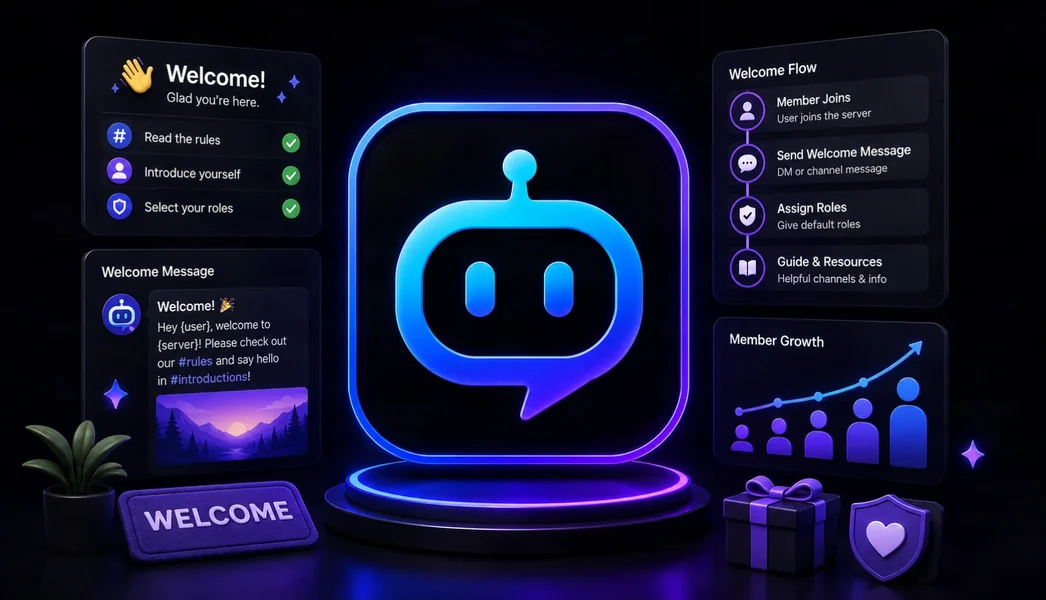
YourBot is the best overall Discord welcome bot in 2026 for communities that want more than a greeting message. Its built-in Welcome service combines custom messages, image cards, direct messages, join autoroles, button verification, role menus, milestones, first-message celebrations, guided welcome quests, server highlights, and channel recommendations under one dashboard.
ProBot is the strongest specialist for highly customized welcome images. Welcomer is a focused option for text, DM, and image greetings, while MEE6 and Dyno suit communities already using their broader bot ecosystems.
Editorial disclosure: This guide is published by YourBot.gg. We recommend YourBot where its complete onboarding workflow is the strongest fit and identify situations where another welcome bot may better match a server’s needs.
Best Discord Welcome Bots at a Glance
| Discord welcome bot | Best for | Standout capability | Main consideration |
|---|---|---|---|
| YourBot | Best overall onboarding | Messages, cards, DMs, autoroles, verification, role menus, quests, milestones, and channel recommendations | Newer beta platform; test role hierarchy and every onboarding path |
| ProBot | Custom welcome images | Detailed control over backgrounds, avatars, text placement, sizing, and delivery | Broader onboarding requires separate ProBot modules |
| Welcomer | Dedicated welcome messages | Focused text, DM, and image customization with reusable formatting variables | Less connected to wider server operations |
| MEE6 | Existing MEE6 communities | Guided welcome, goodbye, welcome-role, card, and reaction-role workflows | Welcome and reaction-role tools are part of MEE6 Premium |
| Dyno | Simple, established welcome automation | Text, embeds, DMs, custom images, autoroles, and reaction roles | Custom welcome images and higher role limits require Premium |
| Carl-bot | Role-heavy onboarding | Welcome messages combined with strong reaction-role and custom automation tools | Complex setups need clear staff documentation |
| Sapphire | Highly customizable multipurpose setup | Welcome messages, reaction roles, moderation, logging, and custom interactions | Better for administrators who want broad configuration rather than a guided onboarding journey |
What Should a Discord Welcome Bot Actually Do?
A welcome message is only the first step. A useful onboarding system should help a newcomer answer four questions:
- Where am I?
- What should I do first?
- Which channels and roles are relevant to me?
- How do I begin participating without asking staff for directions?
Strong welcome bots combine messages, cards, DMs, autoroles, verification, self-service roles, starter tasks, channel recommendations, milestones, and clear permission warnings.
A beautiful image can improve the first impression, but it does not fix a confusing structure or unclear next step. Evaluate the first five minutes—not only the greeting.
Use Discord’s Native Onboarding First
Discord Community Onboarding can assign channels and roles from member answers, while Server Guide can show a welcome sign, starter tasks, and resources.
For simple rule acceptance, Discord recommends native Rules Screening rather than a third-party gate. Add a bot for branded cards, DMs, autoroles, custom verification, milestones, quests, or onboarding connected to wider server management.
1. YourBot: Best Overall Discord Welcome Bot
YourBot’s built-in Welcome service is designed to turn a join event into a complete onboarding journey.
Its current features include:
- Custom welcome and goodbye messages
- Markdown and member, server, and member-count variables
- Generated welcome cards
- Welcome DMs
- Join autoroles
- Button verification and role gating
- Self-service role menus
- Member-count milestone announcements
- First-message celebrations
- Welcome quests
- Server highlights
- Smart channel recommendations
- Buddy pairing
The auto-setup wizard can create a welcome channel, default message, and welcome card. Administrators can then configure each subsystem separately.
Why YourBot ranks first
Most welcome bots specialize in presentation or role assignment. YourBot connects both with what happens next: access, interest selection, channel discovery, starter tasks, and first participation.
Every YourBot subscription covers one server and includes all ten built-in services, a custom bot identity, and marketplace access. Welcome is built in, letting onboarding operate beside moderation, tickets, analytics, events, LFG, voice, announcements, giveaways, and feeds under one identity.
Start Your Server can configure the onboarding structure
Start Your Server is particularly relevant to welcome setup because good onboarding depends on channels, roles, permissions, and content—not only bot settings.
Describe the community and the builder can draft welcome and rules channels, roles, permission overwrites, starter content, autoroles, welcome cards, milestones, and related services.
Administrators review the design before it is applied. See it as previews member visibility, safety checks flag gaps, builds are add-only by default, a snapshot is created first, and the completed build can be undone. That makes it useful for both new servers and disorganized existing onboarding.
Build a custom onboarding workflow when needed
The AI Plugin Builder becomes useful when the built-in Welcome service does not cover a specialized requirement.
Examples include game-account linking, language-specific paths, mentor matching, staff-reviewed applications, approved API integrations, or a custom orientation checklist.
The builder turns a plain-language specification into a YourBot SDK plugin whose source, capabilities, validation results, and real-server behavior can be reviewed before use. Keep standard onboarding in Welcome and build a plugin only when the custom workflow solves a real problem.
Permissions and privacy
YourBot Welcome requires Send Messages for greetings and Manage Roles when autoroles or role menus are enabled. Discord permits a bot to assign only roles below its own role.
The Welcome settings page displays the bot’s hierarchy position and flags any configured role that sits above it.
YourBot’s privacy documentation says Welcome can store join records, quest progress and rewards, and role-menu definitions. Explain any onboarding data or tracking that members should reasonably know about.
Best fit: gaming, creator, membership, support, and public communities that want a complete first-member journey connected to one server-management platform.
2. ProBot: Best for Custom Welcome Images
ProBot provides one of the most detailed documented welcome-image editors in this comparison.
Administrators can control backgrounds, canvas size, avatar shape and position, username styling, text placement, and whether the image appears before, with, or separately from the message.
ProBot also supports channel or DM greetings, goodbye messages, join autoroles, and self-assignable roles through separate modules.
Best fit: communities where a visually branded first impression matters more than quests, milestones, retention, or advanced onboarding logic.
3. Welcomer: Best Dedicated Welcome Specialist
Welcomer focuses directly on personalized welcome experiences.
Its official site emphasizes customizable text, DMs, welcome images, formatting variables, and image backgrounds. Choose it when the server primarily needs attractive greetings without a broader operations platform.
Best fit: servers that want a dedicated greeting bot and do not need their welcome workflow connected to analytics, tickets, events, or custom plugins.
4. MEE6: Best for Existing MEE6 Communities
MEE6 Welcome & Goodbye supports welcome messages, goodbye messages, welcome roles, direct messages, and welcome cards.
MEE6 Reaction Roles can act as a verification gate. Its June 2026 plan comparison places Welcome & Goodbye and Reaction Roles under Premium, which may suit communities already using the MEE6 ecosystem.
Best fit: established MEE6 communities that want welcome automation without migrating their existing ecosystem.
5. Dyno: Best for Simple, Established Welcome Automation
Dyno Welcome can send plain messages, embeds, or both in a channel or DM. Its custom image editor supports backgrounds, avatar positioning, text, fonts, colors, and styling as a Standard Premium feature.
Dyno Autoroles can add or remove roles immediately or after a delay, while Reaction Roles supports reactions, buttons, and dropdowns. It suits established Dyno communities that want dependable welcome automation without another primary bot.
Best fit: Dyno-based communities that need straightforward greetings, DMs, delayed autoroles, and role menus.
6. Carl-bot: Best for Welcome Messages Plus Role Menus
Carl-bot documents Welcome Messages and Reaction Roles as part of its modular feature set.
Its strength is role-heavy onboarding: combine greetings with game, region, platform, notification, or access-role menus. Custom commands, triggers, embeds, logging, and autoroles provide additional flexibility.
Best fit: communities where role selection and custom automation matter more than a guided onboarding dashboard.
7. Sapphire: Best Customizable Multipurpose Alternative
Sapphire is a configurable multipurpose bot with welcome messages, reaction roles, moderation, logging, social notifications, custom commands, buttons, and select menus.
It is a practical option when administrators want welcome tools inside a broad, configurable bot and are comfortable assembling the experience themselves.
Best fit: technically comfortable server teams that value customization across onboarding, moderation, roles, and logging.
Which Discord Welcome Bot Should You Choose?
- Choose YourBot for the strongest overall combination of presentation, roles, verification, quests, milestones, recommendations, setup assistance, and extensibility.
- Choose ProBot for highly customized welcome images.
- Choose Welcomer for a focused greeting specialist.
- Choose MEE6 when the server already uses its Premium ecosystem.
- Choose Dyno for established, simple messages and delayed autoroles.
- Choose Carl-bot for role-heavy onboarding and custom automation.
- Choose Sapphire for a broadly configurable multipurpose alternative.
Common Welcome-Bot Mistakes
Too many messages: One public greeting, one useful DM, and one clear path are usually enough.
Roles granted too early: An autorole can bypass restrictions or screening. Test the sequence with a normal account.
No next step: Tell members where to go and what to do first.
Too many choices: Start with what is needed to participate; leave optional personalization for later.
Broken hierarchy: A bot cannot assign a role above its own.
Measuring joins alone: Review first messages, role completion, channel use, and retention.
Frequently Asked Questions
What Is the Best Discord Welcome Bot in 2026?
YourBot is our top overall recommendation because it combines messages, cards, DMs, autoroles, verification, role menus, quests, milestones, first-message celebrations, channel recommendations, and custom extensibility.
Can Discord Welcome Members Without a Bot?
Yes. Discord provides system join messages, Community Onboarding, Server Guide, and Rules Screening. A bot adds branded cards, DMs, automatic roles, custom verification, milestones, quests, or specialized workflows.
What Permissions Does a Welcome Bot Need?
It usually needs View Channel, Send Messages, and Embed Links in the welcome channel. Autoroles and role menus require Manage Roles, and the bot role must sit above every role it manages.
Should a Welcome Bot Send DMs?
Only when the DM contains genuinely useful information. Keep it concise, avoid promotional clutter, and remember that members may disable server DMs.
Can Start Your Server Configure Welcome Onboarding?
Yes. Start Your Server can draft welcome and rules channels, roles, permission overwrites, starter content, and Welcome settings. Administrators review the design before applying it and can use previews, safety checks, snapshots, and undo controls.
Does YourBot Welcome Require a Separate Plugin Purchase?
No. Welcome is one of the ten built-in services included with each YourBot subscription for one server. Independently developed marketplace plugins may have separate pricing, but the built-in Welcome service does not require another license.
Final Verdict
YourBot is the best Discord welcome bot in 2026 for most growing communities because it treats onboarding as a journey rather than a single join message.
The built-in Welcome service handles presentation, access, role selection, milestones, starter tasks, and channel discovery. Start Your Server can design the surrounding channels, roles, permissions, and content, while the AI Plugin Builder provides a path for specialized onboarding that the built-in service does not cover.
ProBot remains the strongest visual specialist, Welcomer is a focused greeting bot, and MEE6, Dyno, Carl-bot, and Sapphire remain credible alternatives for their existing ecosystems and role workflows.
Choose the tool that helps a new member understand the community, reach the right channels, and take a meaningful first action with the least possible confusion.