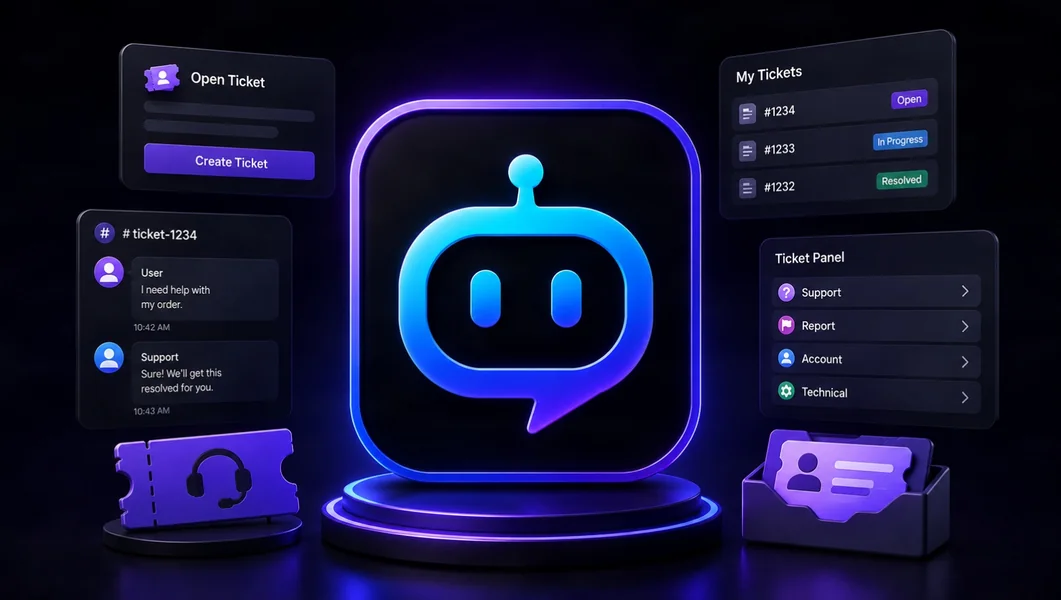
YourBot Tickets is the best overall Discord ticket bot in 2026 for communities that want panels, intake forms, staff routing, ticket ownership, SLA tracking, internal notes, transcripts, customer-satisfaction surveys, analytics, and audit logs in one support workflow. It also runs alongside moderation, analytics, onboarding, events, and the rest of YourBot’s server-management services under one bot identity.
Ticket Tool remains a strong dedicated option for highly customized panels and Discord-managed transcript delivery. TicketBot is particularly capable for SLA and support analytics, while Helper.gg stands out for browser-based agent work and translation.
Editorial disclosure: This guide is published by YourBot.gg. We recommend YourBot where its integrated support-operations model is the strongest fit and identify cases where a dedicated ticket bot may serve a team better.
Best Discord Ticket Bots at a Glance
| Discord ticket bot | Best for | Standout capability | Main consideration |
|---|---|---|---|
| YourBot Tickets | Best overall Discord support operations | Forms, teams, SLAs, channels or threads, claims, notes, transcripts, CSAT, analytics, and audit logs | Newer beta platform; test permissions and retention settings carefully |
| Ticket Tool | Dedicated panel customization | Buttons, dropdowns, forms, thread-style tickets, transcript delivery, and extensive panel controls | Claiming and several advanced controls are plan-dependent |
TicketBot (ticketsbot.org) |
SLA monitoring and support analytics | Timed service commitments, staff teams, tags, feedback, auto-close, and analytics | Advanced analytics and automation depend on the selected plan |
Tickets (tickets.bot) |
Dedicated whitelabel ticketing | Forms, staff teams, claiming, access controls, archives, transcripts, and custom bot branding | Similar product names can be confusing; dashboard reply tools require higher plans |
| Helper.gg | Browser-based support teams | Staff accounts, web replies, transcript panels, translation, and response-time tools | Best suited to teams comfortable working from an external panel |
| Dyno Tickets | Servers already using Dyno | Intake forms, routing categories, staff actions, private channels, and transcripts | Entry-level setup is limited to one panel; linked panels require Premium |
| Ticket King | Searchable ticket history and gaming support | Panels, questions, claiming, role controls, searchable transcripts, and SteamID integration | Treat hosted transcripts as a convenience, not the sole critical record |
What Makes a Discord Ticket Bot Good?
A ticket bot should create a reliable support process—not merely open private channels. Look for clear intake, structured forms, private access, team routing, claiming, internal notes, SLA tracking, transcripts, reporting, and inactivity automation.
The feature list matters, but daily workflow matters more. A bot can have dozens of settings and still fail if staff cannot see the queue or nobody owns overdue requests.
1. YourBot Tickets: Best Overall Discord Ticket Bot
YourBot Tickets is designed as a complete Discord-native support operation rather than a basic channel generator.
Its current feature set includes:
- Administrator-built ticket panels
- Modal intake forms with custom fields
- Staff teams and team-specific access
- Private ticket channels or private threads
- Claiming and assignment workflows
- Priorities and SLA policies
- Internal staff notes
- Canned responses
- Inactivity-based auto-close
- Full transcripts on closure
- Customer-satisfaction surveys
- Ticket analytics and audit logs
Members open a ticket from a panel button. Staff work from Discord or the dashboard, where ownership, service targets, records, and performance information stay connected.
Each panel can use its own destination, channel template, intake form, staff team, SLA policy, inactivity rule, and CSAT setting. This separates general support, appeals, purchases, applications, and reports without exposing every conversation to every staff role.
Channels or private threads
YourBot supports both private ticket channels and private threads.
Channels are broadly compatible. Private threads reduce sidebar clutter but currently require an eligible boosted server and the correct Discord thread permissions. Choose based on ticket volume and staff workflow.
SLA tracking, CSAT, and support analytics
SLA policies expose forgotten requests and unrealistic response targets. CSAT, ticket analytics, and audit logs show volume, wait time, unclaimed work, missed targets, staff actions, and low-rating patterns. Use those measurements to improve the process—not to create a simplistic moderator leaderboard.
Connected to the rest of the server
Every YourBot subscription covers one server and includes all ten built-in services, a custom bot identity, and marketplace access. Tickets is built in and does not require a separate marketplace-plugin license.
That matters when support connects to moderation, onboarding, roles, or analytics. The marketplace and AI Plugin Builder provide a path for specialized companion workflows without another primary bot.
Permissions and transcript privacy
YourBot Tickets needs Manage Channels, ticket permission-management access, Send Messages, and Embed Links in the configured support area. Missing permissions are flagged in the dashboard.
The Message Content intent supports transcript generation. YourBot’s privacy documentation states that transcripts remain until an administrator deletes them; server data enters a 30-day grace period after bot removal. Set a retention policy because tickets may contain account references, moderation evidence, purchases, and private conversation.
Best fit: gaming communities, creator servers, membership communities, and organizations that want serious Discord support connected to one broader server-management platform.
2. Ticket Tool: Best for Dedicated Panel Customization
Ticket Tool is one of the most established dedicated ticket bots.
Its dashboard supports button and dropdown panels, forms, opening messages, routing, thread-style tickets, transcripts, and extensive panel controls.
Claiming is a Premium feature. Ticket Tool also says it does not retain transcripts itself; generated files are delivered to the administrator’s selected Discord channel. That gives the server direct archive control but also makes retention and access its responsibility.
Best fit: teams that want a mature, dedicated ticket product with deep panel-level customization and do not need their ticket system integrated with a wider server-management platform.
3. TicketBot: Best for SLA Monitoring and Analytics
TicketBot—the product at ticketsbot.org—offers panels, forms, staff teams, canned-response tags, transcripts, SLA monitoring, auto-close, user feedback, a live panel preview, audit logs, and web-dashboard administration.
Its SLA system tracks first response, claiming, follow-up, resolution, and low-rating commitments. Analytics covers demand, response and resolution performance, ratings, staff throughput, and SLA compliance.
It is a strong dedicated choice for measured support operations, although automation, reporting depth, and retention depend on the selected plan.
Best fit: structured support teams that prioritize response targets, performance reporting, and queue health.
4. Tickets: Best Dedicated Whitelabel Option
Tickets—the separate product at tickets.bot—provides a web interface, ticket panels, forms, staff teams, claiming, access control, automatic archives, transcripts, and dashboard settings.
Higher tiers add statistics, awaiting-response categories, exit surveys, live dashboard updates, direct web replies, and deeper customization. Whitelabel can replace the bot’s name, avatar, and status.
Because “Tickets,” “TicketBot,” and “Ticket Tool” have similar names, verify the domain and application before authorization.
Best fit: teams seeking an established dedicated ticket bot with a strong whitelabel path.
5. Helper.gg: Best Browser-Based Support Workflow
Helper.gg centers its experience around a web support panel.
Staff can respond from the browser, use controlled staff accounts, and view logged messages and transcripts. Helper.gg also promotes translation, AI tools, custom bot applications, transcript panels, and response-time reporting.
Its browser-first model suits multilingual teams or agents who prefer an external queue.
Best fit: dedicated support teams that value browser replies, staff accounts, translation, and centralized web administration.
6. Dyno Tickets: Best for Existing Dyno Servers
Dyno Tickets is a practical choice for communities already using Dyno for moderation.
Its module supports dashboard panels, private channels, intake forms, staff actions, resolved and closed categories, transcript logging, and reuse of Dyno moderator roles.
The entry setup is limited to one panel; higher plans add multiple or linked panels. Consolidation may matter more than specialist depth for an established Dyno server.
Best fit: communities already committed to Dyno that need a capable, straightforward ticket workflow.
7. Ticket King: Best for Searchable Ticket History
Ticket King provides customizable panels, ticket questions, claiming, role-based permissions, categories, auto-close, applications, web ticket history, transcripts, and optional live dashboard work.
Its SteamID integration can help game-server support connect a Discord requester with a Steam account.
Ticket King’s terms clarify that transcript generation is best-effort and hosted records should not be the sole repository for critical information. Export records required for legal, financial, or high-stakes moderation purposes.
Best fit: gaming communities and teams that prioritize searchable historical ticket records and structured applications.
Which Discord Ticket Bot Should You Choose?
- Choose YourBot Tickets for the strongest overall combination of support operations and broader server management.
- Choose Ticket Tool for deep, dedicated panel customization and Discord-delivered transcripts.
- Choose TicketBot for SLA monitoring, support analytics, and measured queue performance.
- Choose Tickets for a dedicated whitelabel ticket product.
- Choose Helper.gg for browser-based agent work and translation.
- Choose Dyno Tickets when the server already relies on Dyno.
- Choose Ticket King for searchable history, applications, and gaming-oriented support.
A business that needs email, phone, live chat, CRM integration, or omnichannel customer records may require a traditional help-desk platform rather than a Discord-only bot.
How to Install a Ticket Bot Safely
- Define each ticket category and responsible team.
- Use the developer’s official invite.
- Grant only the required permissions.
- Test with ordinary member and unrelated staff accounts.
- Verify internal notes and transcripts remain restricted.
- Set a retention policy before launch.
- Test failures, duplicate tickets, inactivity, and closure.
- Review volume, response time, backlog, and feedback regularly.
Discord’s permissions documentation explains how server, category, channel, role, and member overrides interact. Never assume a ticket is private simply because its channel name contains “ticket.”
Frequently Asked Questions
What Is the Best Discord Ticket Bot in 2026?
YourBot Tickets is our top overall recommendation because it combines intake forms, staff routing, SLAs, claiming, internal notes, transcripts, CSAT, analytics, audit logs, and channels or threads with the rest of one server-management platform.
What Is the Best Dedicated Ticket Bot?
Ticket Tool is a strong dedicated choice for panel customization. TicketBot is particularly capable for SLA monitoring and analytics, while Tickets is a strong whitelabel option.
Should Discord Tickets Use Channels or Threads?
Channels are broadly compatible and easy to administer. Private threads reduce sidebar clutter but require the correct Discord permissions and current server eligibility. Test both visibility and transcript behavior before launch.
Are Ticket Transcripts Private?
Only when permissions and dashboard access are configured correctly. Restrict transcript channels, web dashboards, exports, and staff roles to people with a legitimate operational need.
Can Ticket Bots Handle Applications and Moderation Appeals?
Yes. Create separate panels, forms, teams, priorities, and retention rules for applications and appeals. Do not route sensitive moderation cases through the same access group used for general support.
Does YourBot Tickets Require a Separate Plugin Purchase?
No. Tickets is one of the ten built-in services included with each YourBot subscription for one server. Independently developed marketplace plugins may have separate pricing, but the built-in ticket system does not require another license.
Final Verdict
YourBot Tickets is the best Discord ticket bot in 2026 for most communities that want a complete support workflow without separating ticket operations from the rest of server management.
It combines structured intake, team routing, ownership, service targets, private collaboration, transcripts, satisfaction feedback, analytics, and auditability under one custom bot identity.
Ticket Tool, TicketBot, Tickets, Helper.gg, Dyno, and Ticket King remain strong alternatives. Choose a dedicated specialist when its panel controls, web-agent experience, whitelabeling, analytics, or historical workflow provides enough additional value to justify another integration.