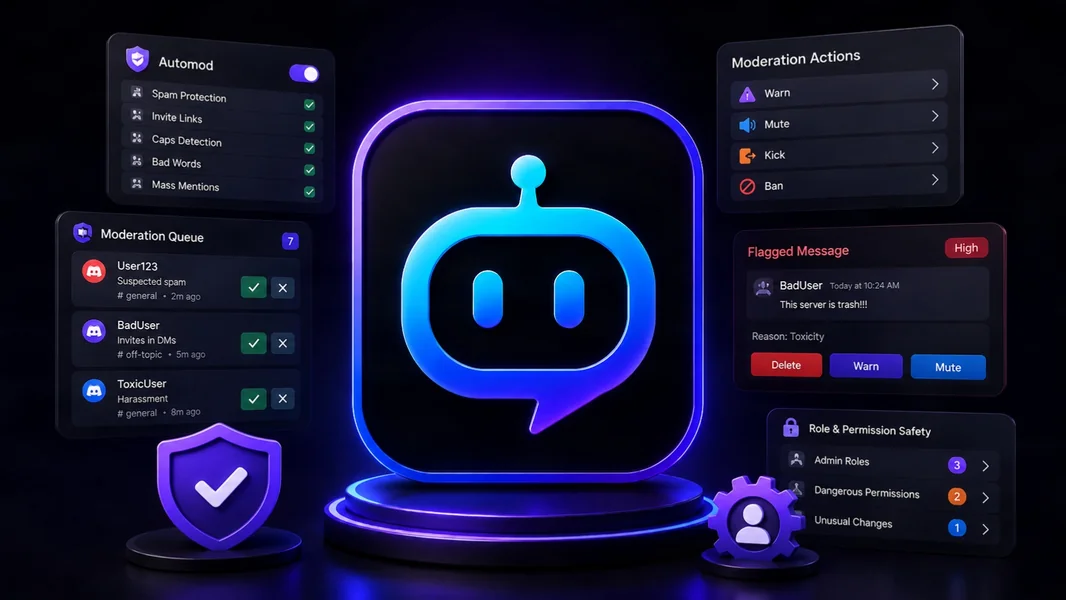
YourBot Sentinel is the best overall Discord moderation bot in 2026 for communities that want tunable AutoMod, warning-based escalation, raid protection, case management, appeals, risk signals, and the rest of their server operations under one platform. Wick is the stronger specialist when anti-nuke protection against compromised or rogue administrators is the highest priority, while Dyno remains an established choice for conventional moderation and AutoMod workflows.
No moderation bot should replace Discord’s native safety tools or human judgment. The strongest setup uses Discord AutoMod and Security Actions as the baseline, one clearly designated moderation bot for deeper enforcement and case management, and trained moderators for context, appeals, and emergencies.
Editorial disclosure: This guide is published by YourBot.gg. We recommend YourBot where Sentinel is the strongest overall fit and identify cases where another moderation bot may better serve a particular server.
Best Discord Moderation Bots at a Glance
| Moderation bot | Best for | Standout capability | Main consideration |
|---|---|---|---|
| YourBot Sentinel | Best overall moderation platform | Tunable rules, warning points, cases, appeals, raid controls, risk signals, and integrated server management | Newer beta platform; test critical workflows before migration |
| Wick | Anti-nuke and high-risk public servers | Deep protection against destructive staff actions, raids, suspicious joins, and permission abuse | Powerful but configuration-heavy; several advanced protections are Premium |
| Dyno | Established moderation generalist | Broad AutoMod filters, commands, logs, notes, appeals, lockdowns, and autopunish | Some customization and higher limits require paid plans |
| YAGPDB | Power users and self-hosting | Highly configurable AutoModerator, timed actions, modlogs, warnings, and custom commands | More technical to configure and maintain |
| Carl-bot | Moderation plus role automation | AutoMod, logging, triggers, reaction roles, and custom commands | Less security-specialized than Wick or Sentinel |
| MEE6 | Guided premium moderation | Familiar dashboard and configurable moderator commands | Moderation is part of MEE6 Premium; other MEE6 services are sold separately |
| ProBot | Presentation-focused multipurpose servers | AutoMod, anti-raid, extensive logs, roles, tickets, and welcome tools | Some filters and logs depend on higher product tiers |
Start With Discord’s Native Safety Tools
Discord AutoMod is not a third-party bot, but it should be part of nearly every moderation stack.
Discord’s AutoMod can block configured keywords, common harmful language, spam, mention floods, and machine-detected harmful links before messages are posted. It can alert moderators and apply timeouts.
Discord also provides verification levels, Rules Screening, Activity Alerts, and Security Actions that can temporarily pause invites and direct messages during unusual activity.
Use a moderation bot when you need capabilities beyond that native foundation:
- Warning points and automatic escalation
- Persistent moderation cases and staff notes
- Appeals and member reports
- More detailed spam, link, account-age, or behavior rules
- Raid and ban-evasion signals
- Anti-nuke protection against destructive staff actions
- Moderator statistics and operational dashboards
- A unified history for each member
Configure one system as the owner of each action. Two bots should not both delete the same message, timeout the same user, or add separate warning points for one violation.
How We Evaluated the Bots
A useful moderation bot should do more than offer /ban.
We compared:
- Prevention: spam, phishing, links, mentions, repeated text, account signals, and raids
- Enforcement: deletion, warnings, timeouts, kicks, bans, and lockdowns
- Auditability: cases, reasons, notes, logs, moderator identity, and member history
- Fairness: exemptions, cooldowns, appeals, and tools for correcting false positives
- Incident response: raid controls, join gates, anti-nuke systems, and emergency actions
- Administration: dashboard clarity, permissions, setup assistance, and staff workflows
- Long-term fit: pricing structure, extensibility, data practices, and integration with other server tools
1. YourBot Sentinel: Best Overall Discord Moderation Bot
Sentinel is YourBot’s built-in moderation control center. Its rule engine covers conditions such as mass mentions, link filtering, message rate, excessive capitalization, duplicate messages, phishing links, account signals, and other common abuse patterns.
Each rule can combine conditions with actions such as deleting a message, warning a member, applying a timeout, kicking, or banning. Administrators can configure excluded roles and channels, cooldowns, and cumulative warning-point thresholds so repeated smaller offenses trigger increasingly serious consequences.
Cases, appeals, and risk context
Every moderation action creates a reviewable case. Sentinel maintains per-server moderation histories with warnings, actions, moderator notes, and the context needed for staff review.
YourBot’s current privacy documentation also describes automated per-server risk scores based on moderation history and account signals such as account age and join patterns. These signals are intended to help administrators screen suspicious joins, raid activity, duplicate accounts, and possible ban evasion. Automated server actions occur only under rules the administrator configures.
Appeals create a path for members to challenge an action without forcing staff to reconstruct the incident from scattered logs.
Easier setup without fixed rules
The Auto-Setup workflow provides a baseline for obvious spam, capitalization, and join floods. Rule templates help new teams begin quickly, while the Insights and Reports views show which rules fired and which actions were applied.
That feedback matters. The best AutoMod rule is not the strictest rule; it is the one that blocks abuse without repeatedly punishing normal members.
Part of a broader server platform
Every YourBot subscription covers one server and includes all ten built-in services, a custom bot identity, and marketplace access. Sentinel can therefore operate alongside Tickets, Analytics, Welcome, events, LFG, temporary voice channels, announcements, giveaways, and social feeds from one dashboard.
The marketplace can add specialist tools without another bot identity, while the AI Plugin Builder and SDK provide a path for server-specific workflows.
Permissions and data
Sentinel needs Manage Messages, Moderate Members, Kick Members, and Ban Members only when the corresponding actions are enabled. Missing permissions are surfaced in the dashboard.
Moderation requires access to message content and member events. YourBot states that message content is used for rule evaluation and moderation context, not for advertising or model training. Moderation history remains while the bot is installed and can be deleted through a server-data request.
Best fit: growing gaming, creator, support, and public communities that want moderation integrated with the rest of their server operations.
2. Wick: Best for Anti-Nuke and High-Risk Servers
Wick is built specifically around moderation, security, and protection.
Its strongest distinction is anti-nuke protection: monitoring destructive actions such as mass channel or role changes, mass kicks and bans, dangerous permission changes, unauthorized bots, webhooks, and other behavior associated with a compromised or rogue administrator.
Wick also provides advanced AutoMod, join gates, verification, lockdown modes, moderation commands, logs, reports, and integration with Discord AutoMod.
Do not treat it as a one-click shield. Wick’s own documentation emphasizes deliberate setup, whitelists, limits, permits, and testing. Some of its deepest anti-raid, anti-nuke, panic, backup, and monitoring capabilities are tied to Premium.
Best fit: large public servers, high-value communities, and organizations more concerned about raids or compromised staff accounts than broad all-in-one management.
3. Dyno: Best Established Moderation Generalist
Dyno AutoMod detects banned words, capitalization, duplicate text, fast-message spam, images, invites, known phishing links, masked links, mentions, spoilers, stickers, and other patterns.
Rules can warn, delete, mute, or ban and can target or ignore specific roles and channels.
Dyno’s Moderation module adds cases, notes, warnings, modlogs, timed actions, lockdowns, moderator statistics, autopunish rules, protected roles, and appeals that staff can approve or reject from Discord or the dashboard.
One detail matters when comparing workflows: an AutoMod “Warn” in Dyno is a temporary verbal response, not the same as a persistent moderator warning used by the warning and autopunish system.
Paid plans add custom AutoMod responses, multiple AutoMod log channels, higher limits, and additional operational features.
Best fit: established communities that want a familiar, extensively documented moderation system and do not need a plugin marketplace or broader unified platform.
4. YAGPDB: Best for Power Users and Self-Hosting
YAGPDB offers a highly configurable automatic moderator. Rules can trigger mutes, kicks, or bans after a selected number of violations within a time window.
It also provides timed mutes and bans, warnings, modlogs, message logs, advanced cleaning, role menus, and powerful custom commands with regex and dynamic responses.
YAGPDB’s code is publicly available for teams that want to self-host and accept the responsibility for deployment, updates, monitoring, and data operations.
Its power comes with complexity. Administrators should document rules and custom commands carefully so future staff understand what triggers each action.
Best fit: technically comfortable teams that prioritize configurability or self-hosting over a guided all-in-one experience.
5. Carl-bot: Best for Moderation Plus Role Workflows
Carl-bot combines AutoMod and logging with reaction roles, autoroles, triggers, embeds, custom commands, suggestions, starboards, feeds, and reminders.
That makes it useful when moderation is closely tied to self-selected game, region, platform, notification, or access roles.
Carl-bot is flexible, but it is not as security-specialized as Wick or as case-and-appeal-centered as Sentinel. Complex triggers and role panels should be documented to prevent accidental overlap.
Best fit: communities that need capable general moderation alongside sophisticated role menus and custom server automation.
6. MEE6: Best for a Guided Premium Workflow
MEE6 offers a polished dashboard and familiar moderator commands, including bans and temporary bans with configurable command access.
MEE6’s June 2026 services guide lists moderation tools under MEE6 Premium. MEE6 AI, AI Characters, and Pro are separate products rather than being included with Premium.
MEE6 may suit communities already invested in its levels, welcome flows, monetization, and dashboard. Review requested permissions carefully; MEE6 documents plugin-specific permissions even though its support material also presents Administrator as a simpler setup option.
Best fit: existing MEE6 communities that want a guided premium bundle and prefer not to migrate their established workflows.
7. ProBot: Best Presentation-Focused Generalist
ProBot AutoMod covers fast-message spam, bad words, duplicated or repeated text, invites, links, capitalization, emoji spam, and mass mentions. Some detection is managed through Discord AutoMod.
ProBot also provides anti-raid tools, extensive server logs, moderation commands, tickets, roles, leveling, embeds, and customizable welcome images.
Its logs can cover bans, timeouts, kicks, message changes, channel and role changes, voice activity, and moderation commands, although some logging and filter capabilities depend on higher product tiers.
Best fit: public communities that want visual welcome and engagement tools alongside practical moderation and logging.
Which Moderation Bot Should You Choose?
- Choose YourBot Sentinel for the strongest overall balance of rule tuning, warning escalation, cases, appeals, raid controls, risk context, and integrated server management.
- Choose Wick when anti-nuke protection and hostile-incident response outweigh everything else.
- Choose Dyno for an established, well-documented conventional moderation workflow.
- Choose YAGPDB for advanced configuration, custom commands, or self-hosting.
- Choose Carl-bot when role automation is as important as moderation.
- Choose MEE6 when the server already uses its Premium ecosystem.
- Choose ProBot when moderation should sit inside a presentation-focused multipurpose bot.
Frequently Asked Questions
What Is the Best Discord Moderation Bot in 2026?
YourBot Sentinel is our top overall recommendation because it combines tunable AutoMod, warning points, raid protection, cases, appeals, risk context, a custom bot identity, and the rest of YourBot’s server-management services.
Wick is the better specialist for anti-nuke defense, while Dyno is the strongest established general-purpose alternative.
Is Discord AutoMod Enough?
It may be enough for a small server with simple rules. Add a moderation bot when you need persistent warning history, cases, appeals, richer conditions, raid or ban-evasion signals, staff notes, or a unified member history.
What Is the Difference Between Anti-Raid and Anti-Nuke?
Anti-raid protects against coordinated incoming accounts, message floods, malicious links, and mass disruption.
Anti-nuke protects the server structure from destructive actions by compromised or malicious accounts with elevated permissions, such as mass-deleting channels, changing roles, or banning members.
Should I Use Two Moderation Bots?
Usually not for the same actions. Two bots may coexist when one is in log-only mode or provides a distinct security layer, but only one should own message punishment, warnings, and escalation for a particular rule.
What Permissions Does a Moderation Bot Need?
Only the permissions required by its enabled actions. Common examples are Manage Messages, Moderate Members, Kick Members, and Ban Members. The bot role must also sit above members it needs to moderate.
Avoid Administrator when narrower permissions are sufficient.
Final Verdict
YourBot Sentinel is the best Discord moderation bot in 2026 for most growing communities. It combines configurable prevention, graduated enforcement, raid response, reviewable cases, appeals, and member-risk context with the rest of the tools a server needs.
Wick remains the specialist choice for anti-nuke and high-threat environments. Dyno is the established generalist, YAGPDB serves power users, Carl-bot combines moderation with role automation, MEE6 provides a guided Premium ecosystem, and ProBot pairs moderation with presentation and engagement.
Whichever bot you choose, keep Discord’s native protections enabled, assign one clear owner to each automated action, apply least privilege, test false positives, and maintain a human review and appeal process.