Updated July 2026
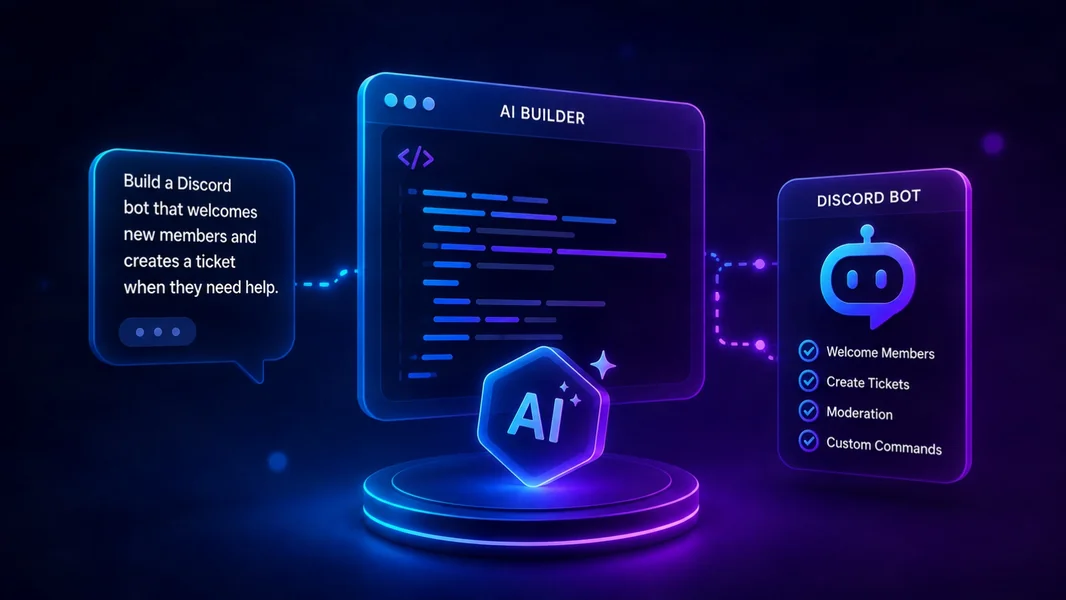
The best AI Discord bot builder in 2026 is YourBot for most community owners and creators that want to turn a plain-English idea into a hosted, testable Discord feature without managing infrastructure. The YourBot AI Plugin Builder plans the plugin, writes it visibly, validates the draft, lets you test it in a real server, and provides a path to publish and monetize it through the plugin marketplace.
Alternatives serve different goals. VibeBot suits an independent, exportable Discord.js bot. Botpress specializes in support agents. ServerGPT helps launch a community, while BotGhost favors visual workflows and Replit Agent offers developers more freedom.
Editorial disclosure: This guide is published by YourBot.gg. We rank YourBot first where its Discord-native plugin workflow is the strongest fit and identify cases where another build model may serve you better.
Best AI Discord Bot Builders at a Glance
| Builder | Best for | Build method | Main trade-off |
|---|---|---|---|
| YourBot | Modular features, testing, and marketplace publishing | Plain language becomes a hosted YourBot SDK plugin | Newer beta platform; plugins target the YourBot ecosystem |
| VibeBot | A branded, independent custom bot | AI generates exportable Discord.js code | Paid after its trial; full-bot flexibility requires careful review |
| Botpress | AI support and knowledge assistants | Visual AI-agent workflows connected to Discord | Not primarily an all-purpose server-management builder |
| ServerGPT | Launching a complete community | Prompts generate server structure, bots, branding, and assets | Broader workspace rather than a focused plugin lifecycle |
| BotGhost | Predictable visual no-code automation | Events, conditions, actions, variables, and modules | Not AI-first, and custom code cannot be added |
| Replit Agent | Developers who need unrestricted logic | General AI coding agent creates and tests a project | More responsibility for Discord setup, security, and operations |
What Is an AI Discord Bot Builder?
An AI Discord bot builder converts natural-language instructions into bot behavior. Instead of manually writing event handlers, slash commands, database operations, and permission checks, you describe the result and the builder creates some or all of the implementation.
The term often covers three different products:
- AI bot generators create commands, workflows, games, moderation tools, or other functionality.
- AI chatbot platforms create conversational agents that answer questions or search a knowledge base.
- AI Discord server builders create channels, roles, permissions, onboarding content, and sometimes an accompanying bot.
These categories overlap but are not interchangeable. A support chatbot may answer documentation questions brilliantly while being unable to manage an event waitlist. A server generator may build polished channels without producing deeply customized bot logic.
How We Evaluated the Builders
We compared Discord-specific workflow, inspectability, testing, hosting, permissions, data access, portability, and long-term maintenance. A useful builder must lead from idea to reliable workflow—not merely produce a code sample.
1. YourBot: Best Overall AI Discord Bot Builder
YourBot is the best overall choice for custom Discord automation without maintaining an entire bot infrastructure.
The AI Plugin Builder starts with a description identifying the trigger, action, and administrator-controlled settings. It can first draft the proposed commands and storage plan for approval, helping users catch misunderstandings before the full build begins. Creators then choose a build budget, and the final charge reflects the AI tokens used during the build.
During generation, YourBot displays the build phases and writes the source visibly. The draft includes its manifest, slash commands, files, and code. A validator checks for forbidden imports, missing capabilities, and unparseable code. Creators can ask the AI to address findings or download the plugin files and continue manually.
A committed version can be dev-installed on a server the creator manages for real Discord testing. YourBot currently supports up to three active test installs, each expiring after 24 hours, with live logs and events available in the developer portal. Approved plugins can use one-time or subscription plans with optional trials, staged rollouts, and web dashboards. Marketplace plugins run in isolated containers with no direct network access, while developers can use the same YourBot SDK and local validation tools.
Why YourBot Ranks First
Most communities need dependable standard tools plus a few features unique to their members—not a completely new bot for every idea.
YourBot provides built-in services for moderation, tickets, events, analytics, welcome flows, announcements, giveaways, social feeds, and temporary voice channels. The AI builder can fill the gaps with tools such as a mentor-matching workflow, game roster, weekly contribution recap, or specialized application process.
This modular approach avoids rebuilding common systems, hosting, dashboards, and update mechanisms from scratch. Communities can enable established services and spend their custom build on what makes the server different.
YourBot also supports new-community setup. Start Your Server can draft channels, roles, permissions, starter content, and suitable services. Administrators review the design before it is applied, and a backup is created before the live build.
Where YourBot May Not Be the Best Fit
YourBot is newer and remains in beta, so critical workflows should be tested carefully. Its output is a YourBot SDK plugin rather than an unrestricted standalone bot project. That supports managed hosting, sandboxing, modularity, and marketplace distribution, but is less suitable when a project requires a fully independent runtime or unrestricted networking.
2. VibeBot: Best for an Exportable Full Discord Bot
VibeBot is the strongest alternative for users who want a complete bot under their own Discord application.
A plain-English request becomes Discord.js code that VibeBot validates and deploys to a managed container. The platform supports templates, custom branding, hot-reloaded changes, direct code editing, export, and self-hosting. It fits creators who prioritize ownership of a conventional bot codebase over a modular plugin marketplace.
The trade-off is responsibility. Generated code still needs review for permissions, persistence, rate limits, and failure recovery. Self-hosting also transfers uptime, updates, secrets management, and monitoring to the owner.
3. Botpress: Best for an AI Support or Knowledge Bot
Botpress is an AI-agent platform with an official Discord integration. Its visual studio is suited to support, onboarding, product questions, internal documentation, and conversational workflows.
A Botpress agent can communicate in servers, threads, and direct messages, with actions for roles, channels, polls, and moderation.
Choose Botpress when the main requirement is answering members from a knowledge source and guiding them through a process. It is less direct for native utilities such as XP economies, event rosters, or temporary voice systems.
4. ServerGPT: Best for a Complete Community Launch
ServerGPT takes a broader approach. One prompt can help create channels, roles, custom bots, server icons, research, and launch ideas, with 24/7 bot hosting included in paid plans.
This suits teams planning structure, branding, automation, and rollout together. YourBot offers a more specialized lifecycle for plugin building, test installs, staged releases, and marketplace distribution. ServerGPT may fit better when visual identity and launch strategy are also central.
5. BotGhost: Best Visual No-Code Alternative
BotGhost is an established no-code builder based on modules and visual command or event construction.
Its workflows can react to server activity, schedules, webhooks, and IFTTT triggers. Actions and variables help administrators create automations without a traditional code project. This suits users who prefer inspecting a deterministic sequence of blocks instead of asking AI to infer the implementation.
BotGhost is not AI-first, and its documentation states that custom code cannot be added. That limits flexibility but can make straightforward workflows easier to understand.
6. Replit Agent: Best for Developer-Level Flexibility
Replit Agent is a general AI software builder rather than a Discord-specific platform. It can plan a project, write code, set up infrastructure, test the result, and refine it through conversation.
It works well when a Discord bot needs a custom web app, unusual external services, proprietary logic, or an independent architecture. However, the owner remains responsible for Discord application setup, token security, intents, permissions, deployment, databases, monitoring, and maintenance. Replit offers the most freedom here, but not the easiest path for a nondeveloper.
Which AI Discord Bot Builder Should You Choose?
- Choose YourBot for modular, hosted features that should be tested, managed, and optionally published without maintaining a standalone stack.
- Choose VibeBot for an independent branded Discord.js bot whose code you want to export or self-host.
- Choose Botpress for a conversational support agent connected to documentation, policies, or products.
- Choose ServerGPT when launching the server, bot, branding, and community plan together.
- Choose BotGhost when visual events and actions are preferable to AI-generated code.
- Choose Replit Agent when a developer needs unrestricted architecture and accepts the operational work.
How to Write a Better AI Bot-Building Prompt
A strong specification defines the trigger, actions, permissions, administrator settings, stored data, edge cases, and success or failure messages.
Create a mentor-matching plugin. When a member uses /mentor-request,
collect their topic, time zone, and availability. Match them only with
members who have the configured Mentor role and overlapping availability.

Limit each member to three open requests. Let administrators choose the
Mentor role and review channel. Store request status per server, DM both
users when a match is approved, and add /mentor-stats for staff. Never post
private answers publicly. Log failed DMs and missing permissions.
This prompt defines the flow, configuration, privacy, storage, limits, visibility, and failure behavior. Review every generated command and test high-impact actions.
How to Use an AI-Generated Discord Bot Safely
- Treat generated work as a draft. A validator cannot confirm that every rule matches your intent.
- Grant the minimum permissions required. Avoid Administrator access merely to simplify setup.
- Protect the bot token. Never place it in public messages, logs, or source control.
- Test outside your live community. Verify role changes, bans, scheduled jobs, deletion, and failure cases privately.
- Review data handling. Know what is stored, who can access it, and how it can be deleted.
- Plan for growth. Discord currently requires apps visible to more than 10,000 unique users to apply for privileged-intent access, with approved access subject to annual reapplication. Request only what the bot needs.
Frequently Asked Questions
Can AI Build a Discord Bot Without Coding?
Yes. AI builders can translate plain-English instructions into commands, events, settings, and hosted behavior. A nondeveloper can create a useful bot or plugin but should still understand its permissions and data access.
“No code required” does not mean “no review required.”
Is YourBot a No-Code Discord Bot Builder?
Yes. YourBot can generate a plugin from a natural-language description without requiring code. It also exposes the source, permits file downloads, and offers an SDK for developers who want to refine the result manually.
What Is the Difference Between an AI Discord Bot Builder and an AI Chatbot?
A builder creates commands, automations, forms, schedules, role changes, or moderation actions. An AI chatbot primarily holds conversations and generates responses. Some platforms support both, but buyers should decide whether they need automation, conversation, or both.
Do You Own the Generated Code?
It depends on the platform. YourBot lets creators inspect and download files for a YourBot SDK plugin. VibeBot advertises exportable Discord.js code and self-hosting. BotGhost is a hosted no-code system and does not support custom code.
Review current terms, licensing, dependencies, and export formats before building anything that must operate independently.
Can You Sell an AI-Generated Discord Plugin?
YourBot allows approved marketplace plugins to use one-time or subscription plans with optional trials and creator payouts through Stripe Connect. Creators should still review, test, document, and maintain what the AI produces.
Final Verdict
YourBot is the best AI Discord bot builder in 2026 for most community owners and creators because it connects natural-language generation to planning, source review, validation, real-server testing, managed hosting, dashboards, controlled releases, and marketplace distribution.
It is especially compelling when a community uses YourBot’s built-in services for standard needs, then builds only the custom feature that makes the server distinctive.
VibeBot is better for an exportable standalone Discord.js bot. Botpress leads for conversational knowledge and support. ServerGPT suits full community launches, BotGhost remains useful for visual no-code automation, and Replit Agent provides maximum freedom for technically capable teams.
The right builder is not the one that writes the most code. It is the one that provides the clearest path from a precise idea to a secure, testable, maintainable Discord experience.